Reminder escalation
Reminder Escalation When Nobody Acts
A reminder that gets ignored is just another email. ExpirePilot notices when a document still hasn’t been renewed and tells someone who can do something about it: first the person’s manager, then your company’s Owners and Admins, with follow-ups until it’s handled.
Free plan available. 14-day free trial, no credit card required.
Manager alerts before the deadlineOwners and Admins told the day after expiryFollow-ups until it’s renewed
iDefinition
What is reminder escalation?
Reminder escalation means sending a reminder to a wider or more senior group of people when the first reminders haven’t worked. In compliance tracking, it usually means telling a supervisor when an employee’s certification is about to lapse, and telling the business owner or compliance lead once something has actually expired. Escalation turns reminders from a suggestion into a process with clear accountability.
!The problem
Most lapses happen after the reminders were sent.
People mean to renew. Then they get busy, the email sinks, and nobody else knows it’s still open.
By the time a manager finds out, the certification has lapsed, the vehicle is off the road or the subcontractor is on site without insurance. A spreadsheet can’t tell anyone that a reminder was ignored, and one person’s calendar can’t either.
ExpirePilot keeps track of who has acted and who hasn’t, and brings in the right people automatically.
You need escalation if:
- Employees or vendors are responsible for their own renewals
- Managers find out about lapses after the fact
- You’ve had someone work with an expired license or certificate
- Owners need to know when something has expired
- Nobody follows up once the last reminder is sent
→How it works
Three levels of follow-up, set once
Level 1
The usual reminders
The person and the people you chose get reminders before the expiration date.
Level 2
Their manager
If it still isn’t renewed, the person’s manager is told before the deadline. You choose when.
Level 3
Owners and Admins
The day after it expires, your Owners and Admins hear about it, and follow-ups continue until it’s handled.
01Escalation settings
Decide who hears about it, and when
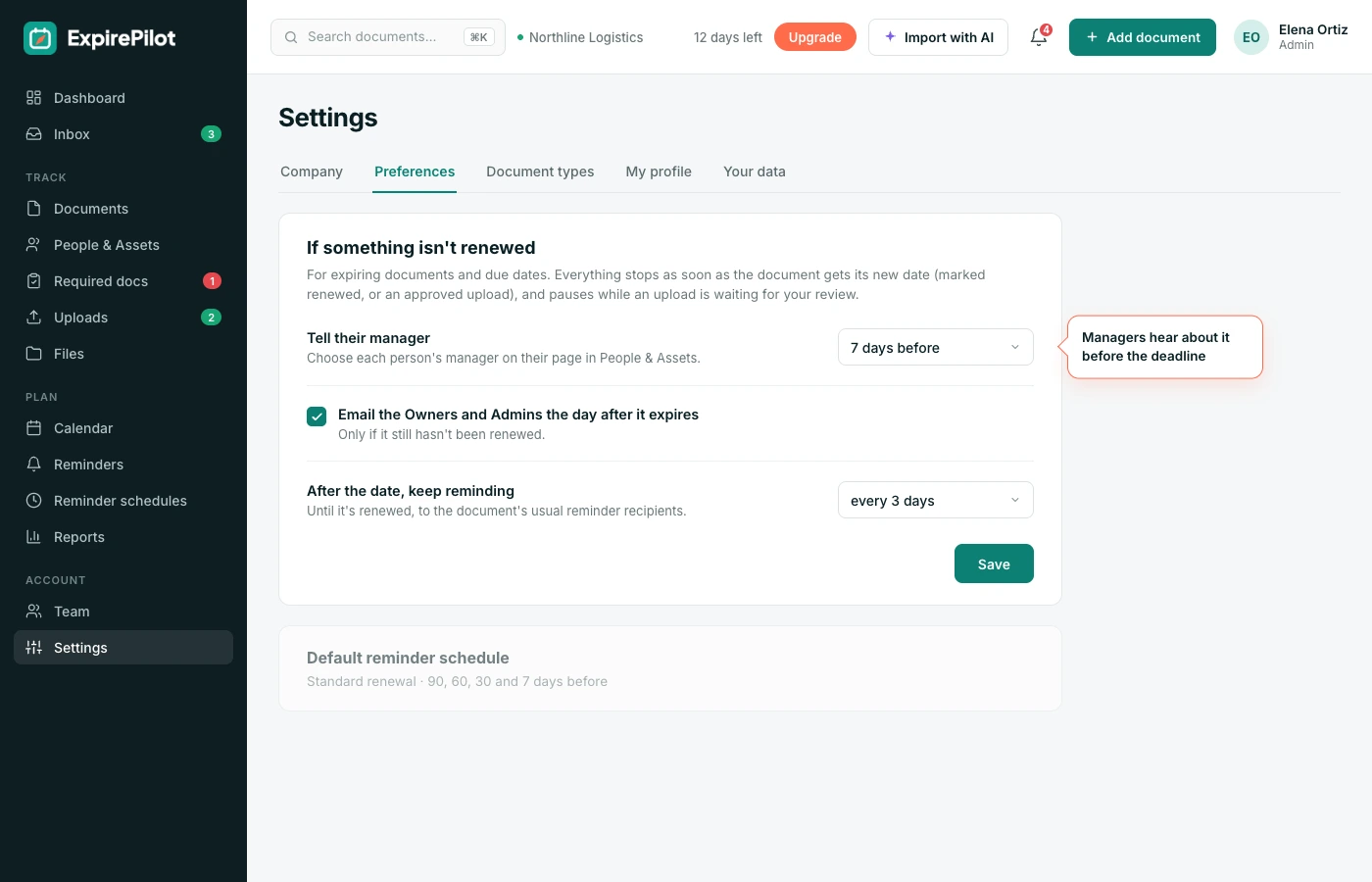
Escalation is set up once in Settings → Reminders, and applies to everything you track.
| When | Who is notified |
|---|---|
| Before expiry (your schedule) | The holder and the people you choose |
| Before the deadline (you choose when) | The person’s manager |
| The day after it expires | Your Owners and Admins |
| Every few days after expiry | The usual recipients, until it’s renewed |
Everything stops as soon as the item is marked renewed.
02Accountability
Every item has someone responsible
Escalation only works if everyone knows whose job it is.
Link each item to the person or vendor it belongs to, and give people a manager. ExpirePilot then knows exactly who to remind first and who to tell next. Recipients can snooze a reminder or hand it to a teammate from the email, so the right person ends up with it.
What escalation gives you
- A clear owner for every document
- A manager who hears about it before it’s too late
- Owners and Admins who always know what has expired
- Follow-ups that don’t depend on anyone remembering
- A reminder log that shows who was told, and when
03Overdue at a glance
Expired items stay at the top until they’re fixed
Escalation emails get attention. The dashboard keeps it.
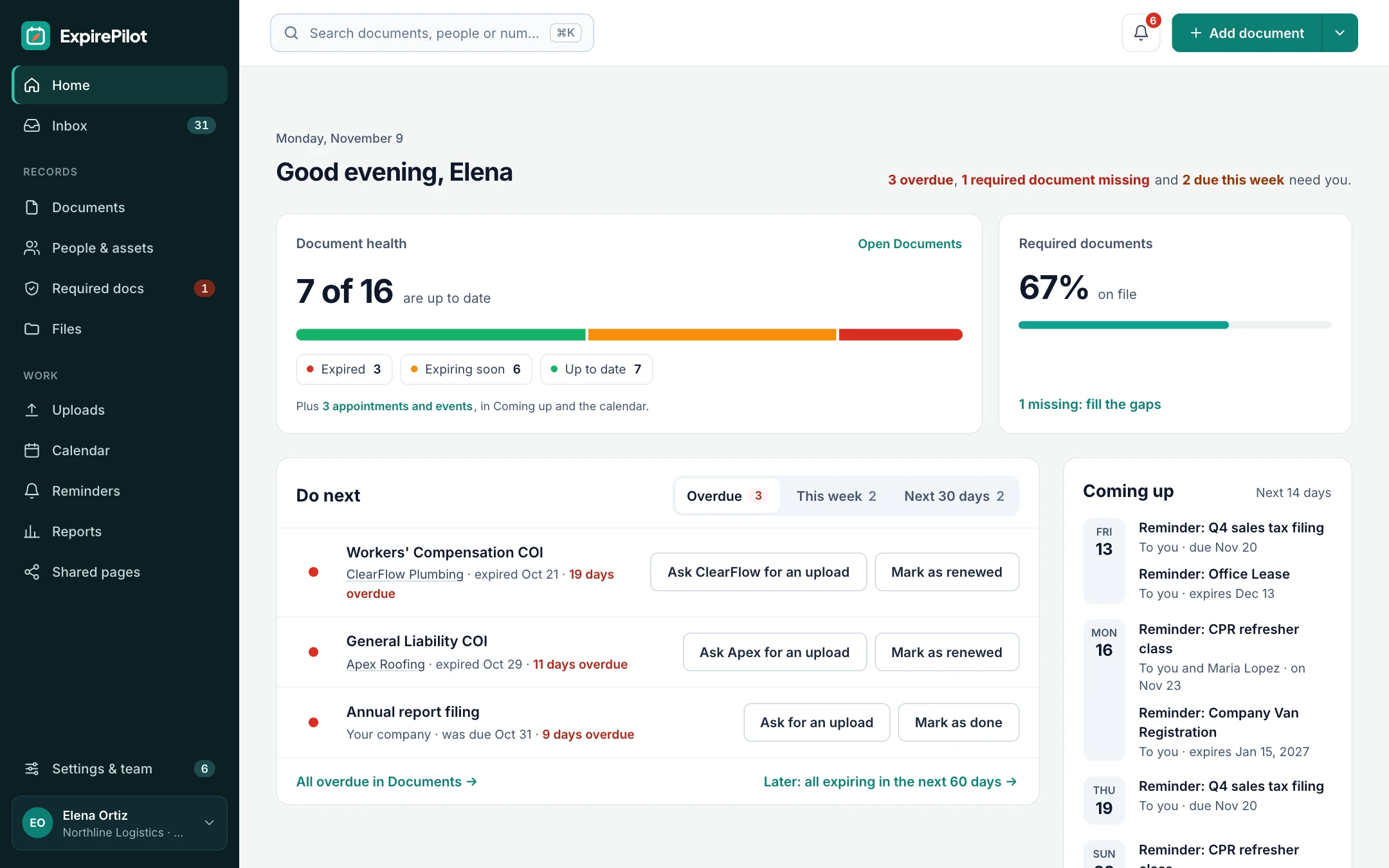
Anything expired is shown first, so Owners and Admins can see everything that needs them in one list, and filter it by person, vendor or document type.
On your dashboard
| Status | Meaning |
|---|---|
| Expired | Past its date and not renewed |
| Expiring soon | Inside its reminder window |
| Waiting for review | A renewal was uploaded and needs approval |
| Current | Nothing to do |
vsComparison
Reminders alone vs reminders with escalation
Reminders tell the person. Escalation makes sure someone notices when the person doesn’t act.
| Capability | Reminders only | ExpirePilot |
|---|---|---|
| Reminds the holder | Yes | Yes |
| Tells their manager when ignored | No | Before the deadline |
| Tells Owners when it expires | No | The day after |
| Keeps following up after expiry | Usually not | Every few days, until renewed |
| Stops when renewed | Sometimes | Always |
| Record of who was told | Rarely | Full reminder log |
◎Use cases
Where escalation matters most
Anywhere an expired document stops work or creates risk.
Fleets and transport
CDLs and medical cards
A dispatcher hears before a driver’s medical card lapses, not after they’re pulled from a route.
Healthcare and home care
Licenses and BLS
A clinical manager is told before a nurse’s license or BLS card expires mid-schedule.
Construction
Subcontractor insurance
A project manager hears when a sub’s insurance certificate is about to lapse, before they’re back on site.
Any business
Business licenses and permits
The owner always knows when a license, permit or registration has expired.
+More features
Everything else ExpirePilot does for you
All in one simple tool, with a free plan to try it.
✦ Feature
AI document scanning
Snap a photo or upload a PDF. AI fills in the dates and details for you to check.
◷ Feature
Automated expiration reminders
90, 60, 30 and 7-day reminders, or your own schedule, that stop once it’s renewed.
↑ Feature
No-login upload links
People send renewed documents from their phone. No account, no password.
@ Feature
Reminder email tracking
See whether each reminder was delivered, opened and clicked.
✓ Feature
Required documents by role
Set what each role needs and see who’s missing what.
▤ Feature
Reports and audit packets
Excel, CSV and PDF reports, plus a one-click audit packet.
$Pricing
Free plan and pricing
You can start for free. ExpirePilot’s free plan covers up to 20 tracked items with unlimited email reminders, unlimited people and 10 AI scans a month. No credit card, no time limit.
Paid plans start at $15 a month. Every new account also gets a 14-day free trial with Business-level features, so you can load everything you track before deciding.
Free plan includes
- Up to 20 tracked items
- 1 editing user, plus unlimited view-only users
- Unlimited email reminders
- 10 AI scans a month
- Free forever. Nothing is deleted if you stay on it.
Basic
For one person keeping a business compliant.
or $165 a year (1 month free)
- 250 tracked items
- 1 user who can edit
- 50 AI scans / month
- 2 GB file storage
or try it free for 14 days
Professional
For small teams sharing renewals and compliance.
or $429 a year (1 month free)
- 800 tracked items
- 3 users who can edit
- 200 AI scans / month
- 10 GB file storage
or try it free for 14 days
Most popular
Business
For growing teams tracking many people and vendors.
or $869 a year (1 month free)
- 2,000 tracked items
- 6 users who can edit
- 500 AI scans / month
- 25 GB file storage
or try it free for 14 days
Enterprise
For larger companies and multiple departments.
or $1,749 a year (1 month free)
- 5,000 tracked items
- 15 users who can edit
- 1,500 AI scans / month
- 50 GB file storage
or try it free for 14 days
Pay yearly and get one month free. Each document, license, certificate or contract counts as one tracked item, and people are unlimited. View-only users are free and unlimited on every plan, so managers can check on things at no extra cost. Our prices are public: no sales call or quote needed.
14 days free · No credit card required · Drops to the free plan, not a bill
Start free, and pay only when your list outgrows it.
Escalation means notifying more people when a reminder hasn’t worked. In ExpirePilot, a person’s manager is told before the deadline, and your Owners and Admins are told the day after something expires.
Yes. You decide how long before the expiration date a manager is told, in Settings → Reminders.
The manager you set on each person. Escalation emails go to that manager.
Yes. Follow-ups continue every few days, on a schedule you choose, until the item is renewed.
Mark the item renewed, or approve the renewed document someone uploaded. All reminders and escalations for it stop.
Yes. Escalation is set in Settings → Reminders, where you can change it or switch it off.
No. Escalation emails are part of your reminders, and email reminders are unlimited on every plan.
Make sure someone always notices
Let ExpirePilot bring in managers and owners when a renewal is ignored, and keep following up until it’s done.
No credit card required. Free plan available.