Expiration reminders
Automated Expiration Reminders
Never miss a renewal again. ExpirePilot emails the right people before every license, certificate, insurance policy, permit or contract expires: 90, 60, 30 and 7 days before by default, or on any schedule you choose. Reminders stop by themselves once the document is renewed.
Free plan available. 14-day free trial, no credit card required.
90 / 60 / 30 / 7-day scheduleYour own schedules tooUnlimited email reminders on every plan
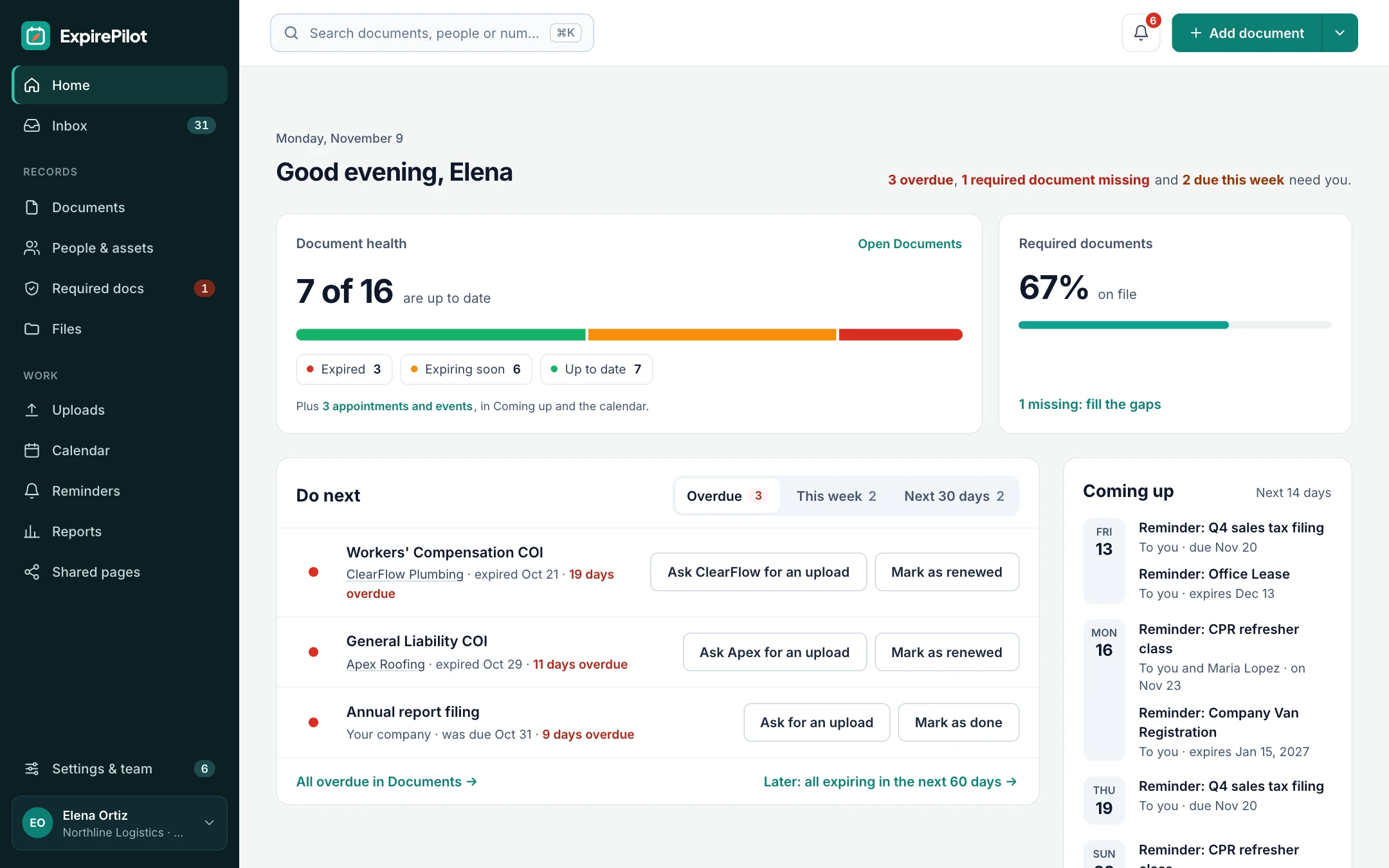
iDefinition
What are automated expiration reminders?
Automated expiration reminders are messages sent automatically before a document, license, certificate or contract expires, so the person responsible renews it in time. Instead of someone checking a spreadsheet or setting calendar alerts one by one, the software watches every date and sends a sequence of reminders, such as 90, 60, 30 and 7 days before expiry, to the people you choose. Good reminder software also stops reminding once the item is renewed, escalates when nobody acts and keeps a log of what was sent.
!The problem
Calendar alerts and spreadsheets don’t remind anyone who isn’t looking.
Most expirations are missed not because nobody cared, but because the reminder lived in one person’s calendar or a column nobody checked.
When that person is on holiday or leaves the company, the reminders go with them. Vendors and employees never see them at all. And a single alert a week before the deadline is rarely enough time to renew a license or get a new insurance certificate.
ExpirePilot sends a series of reminders to everyone who needs to act, and keeps going until it’s done.
You need automated reminders if:
- You track more than a handful of expiration dates
- Renewals depend on employees or vendors, not just you
- Some renewals take weeks, like licenses and insurance
- Reminders are set up in one person’s calendar
- You’ve paid a late fee, lost coverage or failed an audit over a missed date
→How it works
Set it once, and reminders run themselves
Step 1
Add what expires
Add items by hand, import a spreadsheet or scan documents with AI. Each one has an expiration date.
Step 2
Pick who and when
Use the 90, 60, 30 and 7-day schedule or build your own, and choose who is reminded: you, teammates or the holder.
Step 3
Renew and it stops
When the renewed document comes in, mark it renewed. The next date is set and reminders for the old one stop.
01Reminder schedules
The ready-made schedule, or one for each kind of document
Every new account starts with a 90, 60, 30 and 7-day schedule. Keep it, or build your own in days, weeks or months.
Give different document types different schedules, for example 120 days for a state license that takes months to renew, and 14 days for a short-term permit. You can also add reminders after the expiration date, so something that has already expired keeps getting attention.
Each document type can have its own renewal cycle, so when you mark something renewed, the next expiration date fills in for you.
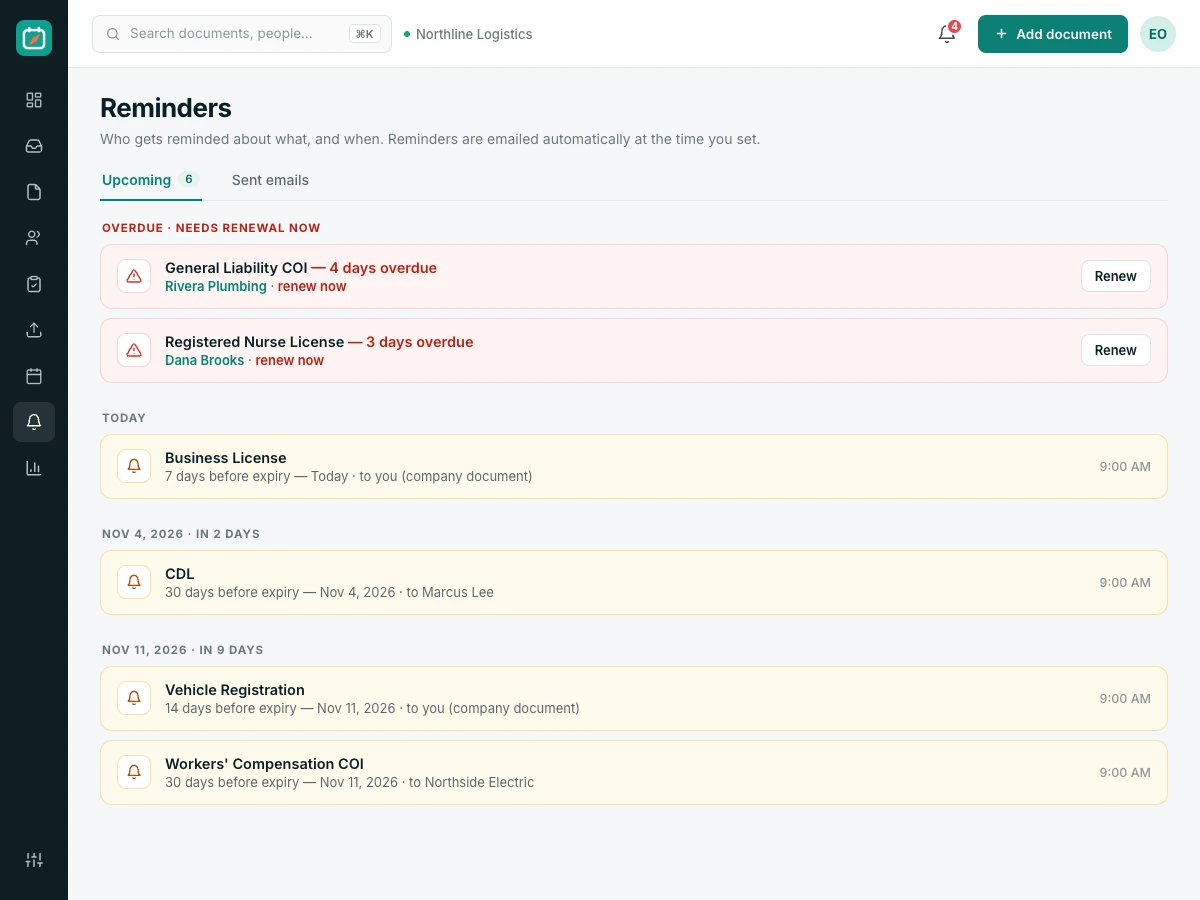
02Who gets reminded
Remind your team, your employees and your vendors
The fastest way to get something renewed is to remind the person who has to renew it.
Add employees and vendors as contacts, and they get their own reminders, in English or Spanish. Your team gets theirs too, and you can set default people to notify so nobody has to remember to add them.
Who can receive reminders
| Recipient | Example |
|---|---|
| You | Everything you’re responsible for |
| Teammates you choose | The office manager or a site supervisor |
| The person it belongs to | An employee whose certification is expiring |
| A vendor contact | A subcontractor, or their insurance agent |
| Default people to notify | Set once in Settings, used for every new item |
People and view-only users are unlimited on every plan.
03Action buttons
Recipients can act straight from the email
A reminder is only useful if acting on it is easy.
Every reminder email explains exactly what is expiring and when, and includes buttons to upload the renewal or mark it done. Anything an outside contact sends goes to your review queue first, so your records only change when you approve them.
Inside every reminder email
- What expires, whose it is and when
- A secure link to upload the renewed document, without logging in
- Buttons to mark it done or snooze the reminder
- An option to hand it to a teammate
- Your own wording, with editable email templates on paid plans
- An unsubscribe link for outside contacts
04Calendar and summaries
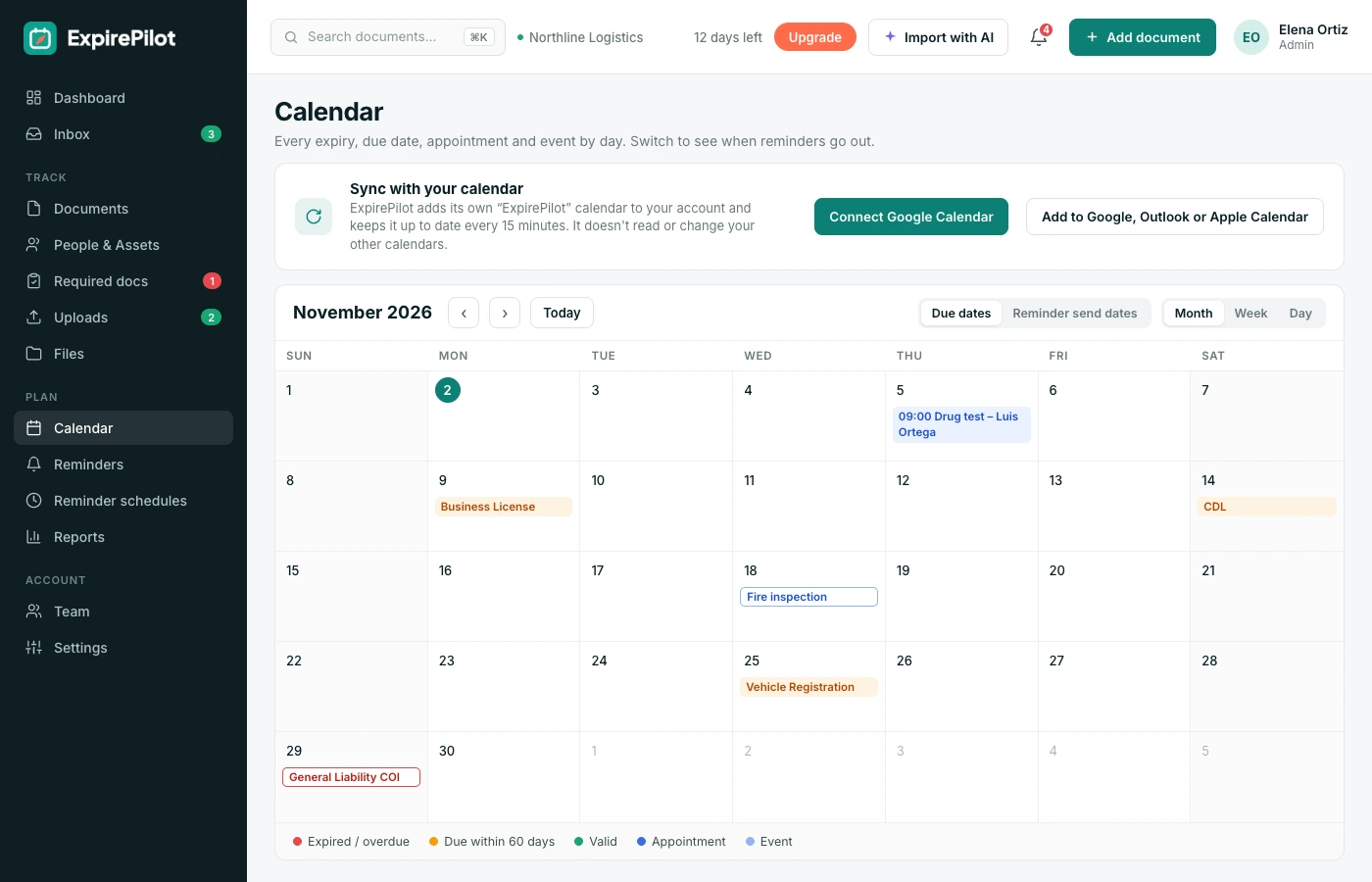
Every date on the calendar you already use
Expiration dates, due dates and appointments can show up in Google Calendar, Outlook or Apple Calendar, next to the rest of your week.
A weekly summary email lists what’s coming up, and you can post reminder summaries to a Slack or Microsoft Teams channel. Text message reminders aren’t available yet; today every reminder goes by email.
vsComparison
Calendar alerts vs automated expiration reminders
A calendar alert reminds one person once. ExpirePilot reminds everyone who needs to act, until it’s done.
| Capability | Calendar alerts | ExpirePilot |
|---|---|---|
| Reminds the employee or vendor | No | Yes, by email |
| Several reminders before expiry | Set up one by one | 90, 60, 30 and 7 days, or your schedule |
| Stops once renewed | No, you delete it | Automatically |
| Tells a manager when nobody acts | No | Automatic escalation |
| Collects the renewed document | No | No-login upload link |
| Survives staff changes | Lost with their calendar | Owned by the company |
| Log of what was sent | No | Full reminder log |
◎Use cases
What teams set reminders for
Anything with a date that matters.
People
Licenses and certifications
Driver’s licenses, CDLs, medical cards, nursing licenses, OSHA cards, first aid and forklift certifications.
Vendors
Insurance certificates
General liability, workers’ comp and auto COIs from subcontractors, suppliers and tenants.
Business
Licenses, permits and registrations
Business licenses, building and health permits, vehicle registrations and inspections.
Contracts
Renewals and notice dates
Software subscriptions, leases, service agreements, warranties, domains and SSL certificates.
+More features
Everything else ExpirePilot does for you
All in one simple tool, with a free plan to try it.
✦ Feature
AI document scanning
Snap a photo or upload a PDF. AI fills in the dates and details for you to check.
↑ Feature
No-login upload links
People send renewed documents from their phone. No account, no password.
↗ Feature
Reminder escalation
Managers, then Owners and Admins, hear about anything nobody renews.
@ Feature
Reminder email tracking
See whether each reminder was delivered, opened and clicked.
✓ Feature
Required documents by role
Set what each role needs and see who’s missing what.
▤ Feature
Reports and audit packets
Excel, CSV and PDF reports, plus a one-click audit packet.
$Pricing
Free plan and pricing
You can start for free. ExpirePilot’s free plan covers up to 20 tracked items with unlimited email reminders, unlimited people and 10 AI scans a month. No credit card, no time limit.
Paid plans start at $15 a month. Every new account also gets a 14-day free trial with Business-level features, so you can load everything you track before deciding.
Free plan includes
- Up to 20 tracked items
- 1 editing user, plus unlimited view-only users
- Unlimited email reminders
- 10 AI scans a month
- Free forever. Nothing is deleted if you stay on it.
Basic
For one person keeping a business compliant.
or $165 a year (1 month free)
- 250 tracked items
- 1 user who can edit
- 50 AI scans / month
- 2 GB file storage
or try it free for 14 days
Professional
For small teams sharing renewals and compliance.
or $429 a year (1 month free)
- 800 tracked items
- 3 users who can edit
- 200 AI scans / month
- 10 GB file storage
or try it free for 14 days
Most popular
Business
For growing teams tracking many people and vendors.
or $869 a year (1 month free)
- 2,000 tracked items
- 6 users who can edit
- 500 AI scans / month
- 25 GB file storage
or try it free for 14 days
Enterprise
For larger companies and multiple departments.
or $1,749 a year (1 month free)
- 5,000 tracked items
- 15 users who can edit
- 1,500 AI scans / month
- 50 GB file storage
or try it free for 14 days
Pay yearly and get one month free. Each document, license, certificate or contract counts as one tracked item, and people are unlimited. View-only users are free and unlimited on every plan, so managers can check on things at no extra cost. Our prices are public: no sales call or quote needed.
14 days free · No credit card required · Drops to the free plan, not a bill
Start free, and pay only when your list outgrows it.
You add each item with its expiration date and choose a reminder schedule. ExpirePilot emails the people you choose at each step, such as 90, 60, 30 and 7 days before, and stops once the item is marked renewed.
Yes. Keep the 90, 60, 30 and 7-day default, or build your own schedules in days, weeks or months, including reminders after the expiration date. Each document type can use its own schedule.
You, any teammate, the employee or vendor the document belongs to, and other contacts such as an insurance agent. You can also set default people to notify for every new item.
Yes. When you mark an item renewed or approve the renewed document, reminders for the old date stop and the new expiration date takes over.
Not yet. Today every reminder goes by email, and dates can also appear in Google Calendar, Outlook or Apple Calendar.
Yes. Reminder emails to outside contacts can go out in English or Spanish.
Yes. Owners and Admins on paid plans can edit the email templates.
Email reminders are unlimited on every plan, including Free.
Let the reminders take care of themselves
Add your expiration dates once. ExpirePilot reminds the right people, follows up and stops when it’s renewed.
No credit card required. Free plan available.