Contract reminder software
Contract Reminder Software
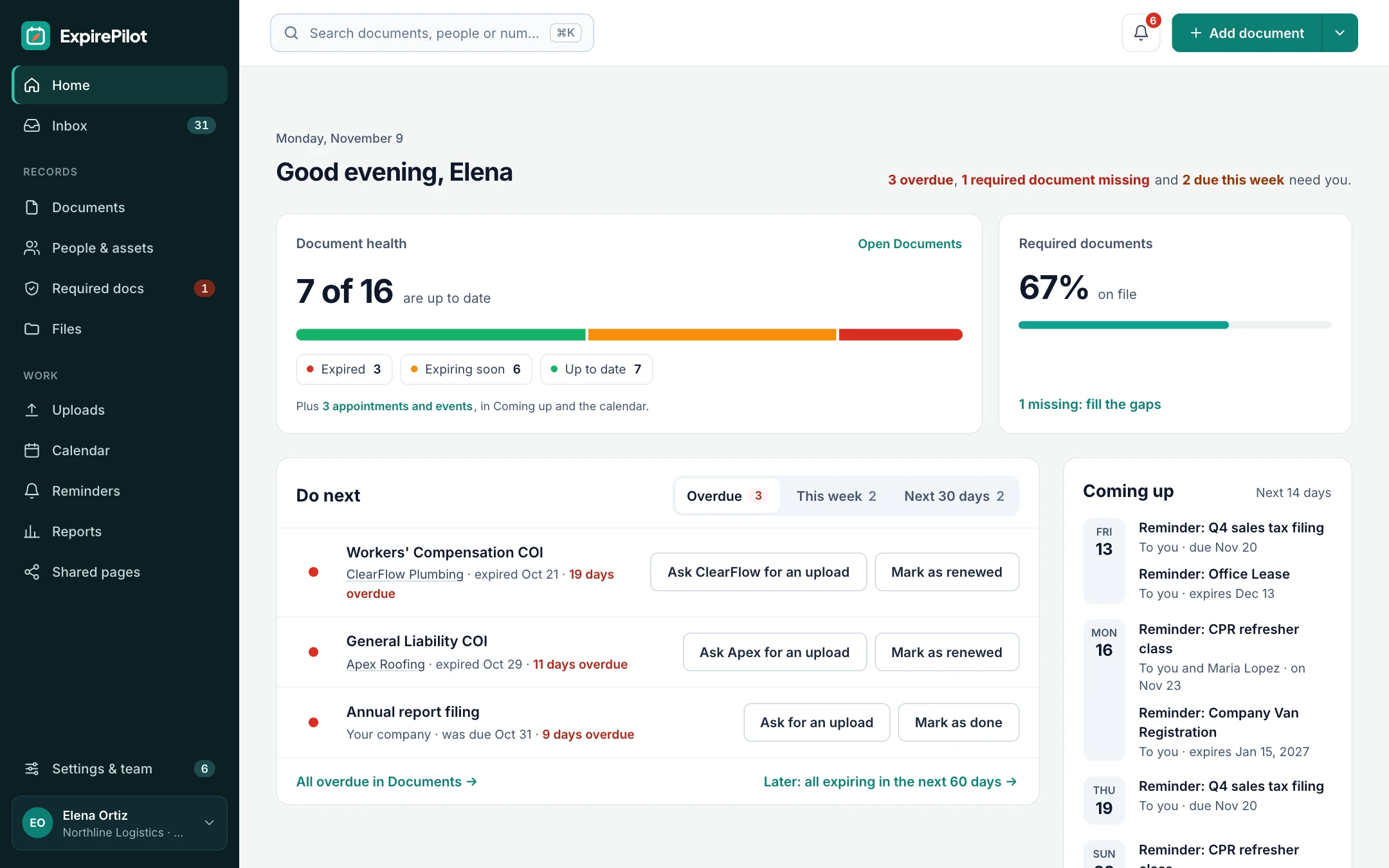
Never miss a contract renewal or notice deadline again. Upload a contract, let AI fill in the dates, and ExpirePilot reminds you, your team and the vendor at 90, 60, 30 and 7 days, before an auto-renewal locks you in for another year.
Free plan available. 14-day free trial, no credit card required.
Reminders at 90/60/30/7 daysAI reads your contract PDFsUnlimited email reminders
iDefinition
What is contract reminder software?
Contract reminder software keeps every contract’s end, renewal and notice dates in one place, and emails the right people before a contract auto-renews or a deadline passes. ExpirePilot does this for small and mid-sized teams tracking vendor contracts, leases and software subscriptions.
!The problem
Contracts renew themselves. Your spreadsheet won’t warn you.
Software subscriptions, leases, service agreements and vendor contracts often renew automatically unless you give notice by a set date, which can be 30, 60 or 90 days before the contract ends. By the time anyone looks at the end date, the window to cancel or renegotiate has closed.
Then you pay for another year of a tool nobody uses, lose your chance to negotiate a lease, or stay locked into a supplier you meant to replace.
A spreadsheet can’t remind anyone, follow up or keep the contract to hand. ExpirePilot does all three automatically.
You’ve outgrown your spreadsheet if:
- You track more than a handful of contracts
- More than one person owns renewals
- Your contracts auto-renew with a notice period
- You’ve paid for a renewal you meant to cancel
- The person who kept the list has left
vsComparison
Spreadsheet vs contract reminder software
A spreadsheet stores dates. Contract reminder software acts on them.
| Capability | Spreadsheet | ExpirePilot |
|---|---|---|
| Reminds people before renewal | No | 90, 60, 30 and 7 days, or your own schedule |
| Reminds more than one person | Only whoever set the alert | You, your teammates and the vendor |
| Follows up if nothing happens | No | Repeats after the date and alerts Owners and Admins |
| Keeps the contract file | Separate folders | Stored with the record |
| Reads dates from the PDF | Typed by hand | Scan with AI, you confirm |
| Keeps renewal history | Overwritten | Every earlier version kept |
| Proves you followed up | No history | Log of every reminder sent |
| Cost | Free, plus admin time | Free plan, paid from $15/month |
01Reminders
Track vendor contracts, leases and subscriptions in one place
Add every contract with a date that matters, and ExpirePilot keeps an eye on it for you. Reminders go out 90, 60, 30 and 7 days before, so renewals and cancellations happen on time. Keep the standard schedule, or build your own in days, weeks or months, at the time of day you choose, and reuse it for any contract.
Operations teams use it for service agreements and leases, finance and IT for software subscriptions, and agencies for client contracts and retainers.
Vendor contractsService agreementsOffice and equipment leasesSoftware subscriptionsClient contractsRetainersMaintenance agreementsSupplier agreementsCustom contract types
Reminder sequence · 90 / 60 / 30 / 7 days
↗Follow-ups
If nobody acts, ExpirePilot keeps asking
Reminders go to whoever needs to know: you, the teammates you pick and the vendor contact. If the contract still isn’t renewed, ExpirePilot tells your Owners and Admins and keeps following up until it’s handled. Everything stops once you mark it renewed.
| When | Who is notified | How |
|---|---|---|
| 90, 60, 30 and 7 days before (or your schedule) | You, the teammates you choose and, if you like, the vendor | |
| The day after the date passes | Your company’s Owners and Admins | |
| After the date, every few days (you choose) | The usual reminder recipients, until it’s renewed |
Reminders go by email on every plan, including Free, and vendor contacts can get theirs in Spanish. Text message reminders are coming soon.
Stop checking dates. ExpirePilot checks them for you.
02Notice deadlines
Get reminded before the notice deadline, not the end date
For an auto-renewing contract, the date that matters is the last day to give notice. The notice deadline is the contract’s end date minus its notice period. A contract ending March 31, 2027 with 60 days’ notice must be cancelled by January 30, 2027.
- Add the contractEnter the end date and attach the signed PDF.
- Add the notice deadlineAdd the last day to give notice as its own due date.
- Pick a sequenceReminders go out 90, 60, 30 and 7 days before the deadline.
Tip: leave a few days’ buffer. Some contracts count business days, or need notice to be received, not just sent, by the deadline.
Cancel on your terms, not the vendor’s.
03Vendor upload links
Vendors send the signed renewal themselves, no login needed
When a contract is due, send the vendor a secure upload link. They open it, attach the signed renewal and suggest the new end date. They don’t need an account or a password.
You review the file and the new date before anything changes, so nothing replaces your records without your say-so.
- Send the linkEmail it from ExpirePilot, or include it in the reminder.
- Vendor uploadsThey attach the renewed contract and the new end date.
- You approveThe record updates and the old version is kept in its history.
Renewals come to you, not the other way around.
04AI scanning
AI reads your contracts for you
Upload a contract and ExpirePilot reads it. It pulls out the title, the other party, the contract number, the start date and the end or renewal date, then fills in your record. It tells you how confident it is and flags anything it couldn’t read. You review it and click confirm.
It works on PDFs, scans and phone photos. Scan several contracts at once, or import your existing spreadsheet. AI reads dates, not clauses, so you add the notice deadline yourself.
What it extracts
Contract titleContract typeOther partyContract numberStart dateEnd or renewal date
Load a year of contracts in an afternoon, not a week.
05Records & reports
Every contract, its history and its reminders in one place
Each contract keeps its dates, the other party, contract number, tags, notes and the signed file together. Mark it renewed and ExpirePilot suggests the next date from its usual renewal period, keeps the earlier version and stops the old reminders.
When finance, an auditor or a new manager asks what you’re committed to, export it in a click.
- Expiring soon, expired, by vendor, by type and all contracts
- Reminder activity: who was reminded, when and how often
- A weekly summary email of what’s coming up, if you want one
- Export as PDF, Excel or CSV, or download every file at once
Useful for
Budget and spend reviewsSoftware subscription auditsLease renewalsVendor reviewsHandovers when someone leaves
Know what you’re committed to before the invoice arrives.
⏱Reference
Renewal terms to check in common contracts
A quick checklist for setting up reminders. Terms vary a lot, so always read your own contract.
| Contract type | What to look for | Reminder tip |
|---|---|---|
| Software subscriptions (SaaS) | Auto-renewal for another term, and a notice period before the renewal date | Start 90 days before the notice deadline to review usage and seats |
| Office and equipment leases | Renewal options or automatic extensions, often with a long notice window | Start several months ahead; lease notice periods are often the longest |
| Service and maintenance agreements | Evergreen clauses that roll over each term unless cancelled | Track the notice deadline as its own due date |
| Vendor and supplier agreements | Fixed end dates, price-review dates and renewal options | Add the vendor as a recipient so they send the renewal |
| Client contracts and retainers | End dates and renewal or re-pricing windows | Remind your account owner early enough to propose a renewal |
ExpirePilot reminds you of the dates you enter. It doesn’t interpret contract terms or replace advice from your legal team.
◎Who it’s for
Contract reminders for operations, finance and IT teams
Built for small and mid-sized teams that need renewals handled, without a contract management rollout.
Operations
No surprise renewals
An office manager tracks the cleaning, security and maintenance contracts and the office lease. Reminders go to them and the vendor, and Owners hear about anything that lapses.
IT and finance
Cancel the tools nobody uses
A finance team tracks every software subscription and its notice deadline. Reminders start 90 days out, with time to check seats and usage before anything renews.
Property management
Lease dates under control
A property manager tracks tenant leases and service contracts for each building. Everything renewing this quarter is one report away.
Agencies and service firms
Renew clients on time
An agency tracks client contracts and retainers. Account owners get reminded early enough to propose the renewal, not chase it.
ExpirePilot also tracks licenses, permits, insurance certificates and employee certifications. See certification tracking →
?Which tool do you need?
Contract reminder software vs contract management (CLM)
If your main problem is “we keep missing renewals,” you may not need a full CLM.
| Contract reminder software | Contract lifecycle management (CLM) | Spreadsheet + calendar | |
|---|---|---|---|
| Main job | Make sure renewal and notice dates are acted on | Draft, negotiate, approve and sign contracts | Store a list of dates |
| Automatic reminders | Yes, to your team and vendors | Yes | Only if one person sets them |
| Reads dates from PDFs | Yes | Usually | No |
| Drafting, approvals, e-signature | No | Yes | No |
| Setup | Same day | Weeks to months | Minutes |
| Best for | Small and mid-sized teams tracking renewals | Legal teams with heavy contract volume | A few contracts and one owner |
Many teams start with a reminder tool and add a CLM only when drafting and negotiation become the bottleneck.
→Getting started
Up and running the same day
No sales call, no implementation project.
Step 1 · About 15 minutes
Bring in your contracts
Import your spreadsheet, or scan your contract PDFs and let AI fill in the dates for you to check.
Step 2 · About 10 minutes
Add notice deadlines
Add the last day to give notice for anything that auto-renews, and choose who gets reminded.
Step 3 · Automatic
Reminders run themselves
Reminders and follow-ups go out on schedule. Mark contracts renewed as they come in.
⇄Integrations
Works with the tools you have
ExpirePilot doesn’t connect directly to accounting, CRM or contract management systems yet. Most teams don’t need it to get started:
- Import a spreadsheet of your contracts (Excel or CSV)
- A private calendar link for Google Calendar, Outlook and Apple Calendar
- Export any report as Excel, CSV or PDF, or download everything at once
A public API and Zapier connection are on our roadmap.
✓Security
Your contracts stay private
- Each company’s records and files are kept separate
- Contracts are stored encrypted on Amazon Web Services and open only through short-lived secure links
- Automatic backups cover the last 35 days
- Owner, Admin, Member and Viewer roles control who sees and changes what
- Export everything any time. No lock-in.
We aren’t SOC 2 audited yet. If your organization needs a SOC 2 report, contact us before you sign up.
$Pricing
Free plan and pricing
You can track contract renewals for free. ExpirePilot’s free plan covers up to 20 contracts with unlimited email reminders and AI scanning, which is enough to cover your most important renewals or to try it out properly. No credit card, no time limit.
When you need more, paid plans start at $15 a month. Every new account also gets a 14-day free trial with Business-level features, so you can load all your contracts before deciding.
Free plan includes
- Up to 20 contracts
- 1 editing user, plus unlimited view-only users
- Unlimited email reminders
- 10 AI contract scans a month
- Free forever. Nothing is deleted if you stay on it.
Basic
For one person keeping a business compliant.
or $165 a year (1 month free)
- 250 tracked items
- 1 user who can edit
- 50 AI scans / month
- 2 GB file storage
or try it free for 14 days
Professional
For small teams sharing renewals and compliance.
or $429 a year (1 month free)
- 800 tracked items
- 3 users who can edit
- 200 AI scans / month
- 10 GB file storage
or try it free for 14 days
Most popular
Business
For growing teams tracking many people and vendors.
or $869 a year (1 month free)
- 2,000 tracked items
- 6 users who can edit
- 500 AI scans / month
- 25 GB file storage
or try it free for 14 days
Enterprise
For larger companies and multiple departments.
or $1,749 a year (1 month free)
- 5,000 tracked items
- 15 users who can edit
- 1,500 AI scans / month
- 50 GB file storage
or try it free for 14 days
Pay yearly and get one month free. View-only users are free and unlimited on every plan, so finance and managers can check what’s renewing at no extra cost. Our prices are public: no sales call or quote needed.
14 days free · No credit card required · Drops to the free plan, not a bill
Start free, and pay only when your contract list outgrows it.
Contract reminder software keeps every contract’s end, renewal and notice dates in one place and automatically reminds the people responsible before a contract renews, ends or needs action. It replaces spreadsheets and personal calendar alerts. ExpirePilot is contract reminder software for small and mid-sized teams tracking vendor contracts, leases and subscriptions.
It’s the same idea, focused on renewals: software that alerts you before a contract auto-renews, so you have time to renegotiate, renew on purpose or cancel. ExpirePilot sends contract renewal reminders 90, 60, 30 and 7 days before the date you choose, or on your own schedule.
Yes. ExpirePilot’s free plan tracks up to 20 contracts with unlimited email reminders and 10 AI scans a month, with no time limit and no credit card. New accounts also get a 14-day free trial with Business features. Paid plans start at $15 a month for 250 contracts.
The end date is when the contract term finishes. The notice date is the last day you can cancel or tell the other party you won’t renew. For an auto-renewing contract, it’s the end date minus the notice period, and it’s the date you can’t afford to miss.
A common schedule is 90, 60, 30 and 7 days before the notice deadline. That leaves time to review usage, get quotes and negotiate. Leases and large contracts often need more lead time. In ExpirePilot you can build any schedule and reuse it.
Yes. Scan with AI reads a PDF, scan or photo and fills in the contract title, the other party, the contract number, the start date and the end or renewal date. You confirm the details before saving. It doesn’t interpret notice clauses, so add the notice deadline as its own due date.
Yes. Reminders can go to you, the teammates you choose and the vendor contact. Vendors can upload a signed renewal from a secure link without an account. View-only teammates are free and unlimited on every plan.
If you need drafting, approval workflows and e-signatures, look at a contract lifecycle management (CLM) platform. If you mainly need to stop missing renewals and notice deadlines, contract reminder software like ExpirePilot is faster to set up and costs far less.
Prices range from free plans to several hundred dollars a month, and many contract management tools only quote after a sales call. ExpirePilot’s prices are public: $0 on the free plan, then $15, $39, $79 or $159 a month for 250 to 5,000 contracts, with one month free on yearly billing.
Yes. Subscribe to your private ExpirePilot calendar link in Google Calendar, Outlook or Apple Calendar, and your contract dates appear alongside your meetings, with an optional “renew by” entry before each one.
Most teams are up and running the same day. Import a spreadsheet or scan your contracts, add notice deadlines for anything that auto-renews, and reminders start on their own. There is no sales call or implementation project.
Each company’s records and files are kept separate, contracts are stored encrypted on Amazon Web Services and open only through short-lived secure links, and automatic backups cover the last 35 days. Roles control who can see and change what, and you can export everything at any time. ExpirePilot isn’t SOC 2 audited yet.
Never miss another contract renewal
Let ExpirePilot remind your team and vendors, keep every contract to hand and give you time to decide before anything renews.
No credit card required. Free plan available.