Domain management software
Domain Management Software
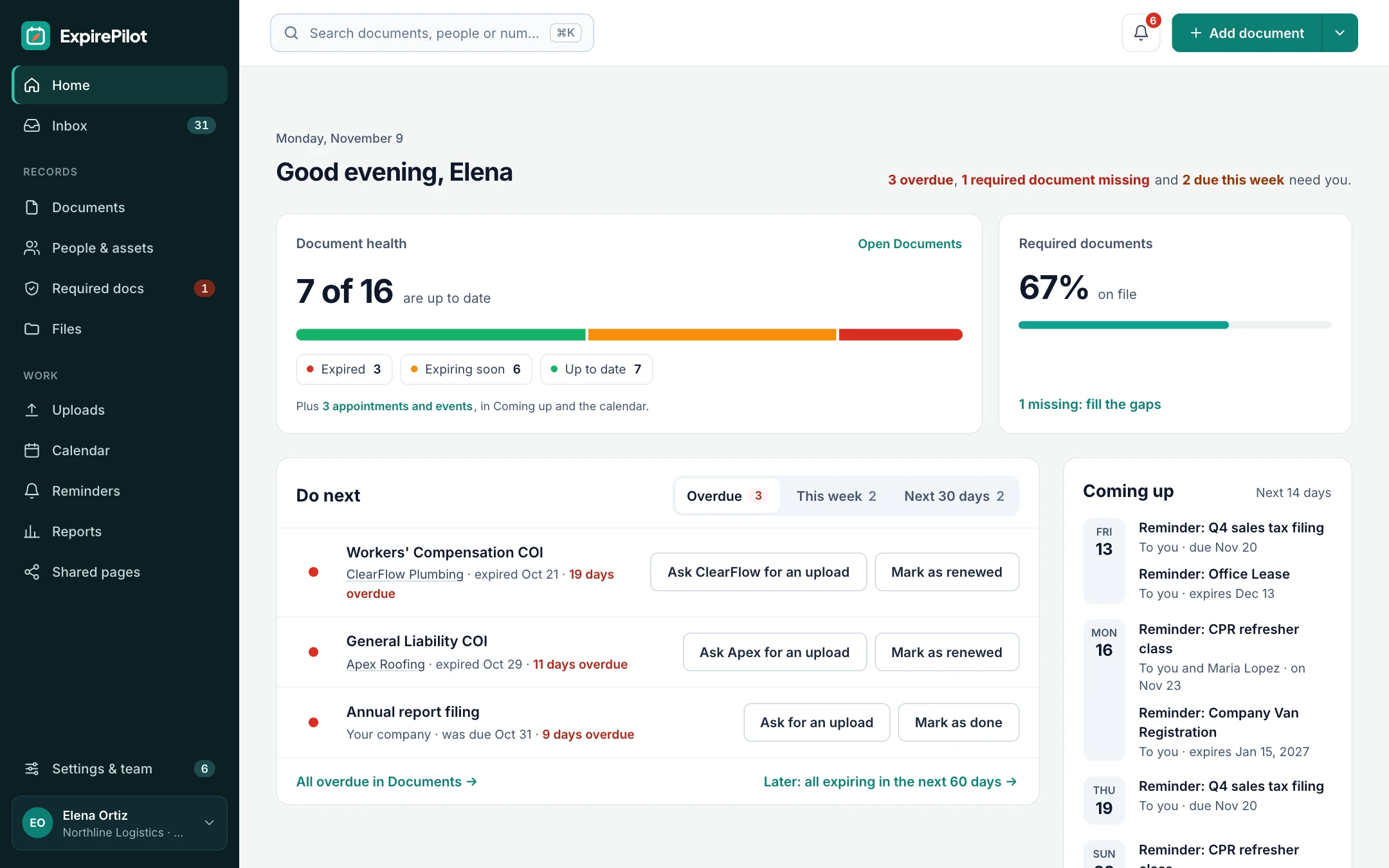
Keep every domain name you own, at every registrar, in one list with its expiry date, registrar and the person who renews it. ExpirePilot reminds them before each domain expires, escalates when nobody acts, and collects proof of renewal from the agencies and clients who hold domains for you.
Free plan available. 14-day free trial, no credit card required.
Every registrar in one listAn owner for every domainNo registrar logins needed
iDefinition
What is domain management software?
Domain management software keeps every domain name an organization owns in one place, with each domain’s registrar, expiry date, auto-renew status and owner, and makes sure every one is renewed before it lapses. A registrar’s dashboard only shows the domains held at that registrar. Domain management software covers the whole portfolio, across registrars. ExpirePilot focuses on the inventory, owners and renewal reminders, alongside your SSL certificates, contracts and other renewals.
!The problem
Even big companies let their domains expire.
In July 2017, Marketo’s main domain expired after its auto-renewal failed. Its website, customer logins, emails and tracked links stopped working for hours, until a customer paid the renewal himself. Small businesses lose domains the same way: the card on file expires, or the renewal emails go to someone who left.
2renewal reminders before expiry, about one month and one week ahead, are all ICANN requires registrars to send, to the registrant email on file. ICANN, Expired Registration Recovery Policy
When a domain expires, the website stops loading, email stops arriving, and every link, form and integration that uses the domain breaks. Wait too long and anyone can register it.
A registrar can only remind the email on file. ExpirePilot reminds the right person, escalates when they don’t act and chases agencies for proof.
You’ve outgrown your domain spreadsheet if:
- Your domains are spread across two or more registrars or accounts
- The registrant email on some domains belongs to someone who left, or to your web agency
- Auto-renew depends on a company card that will expire or be replaced
- You hold defensive, typo or country domains nobody looks at
- You manage domains for clients, or clients manage domains your business depends on
↻Domain lifecycle
What happens when a domain name expires, and where ExpirePilot fits
For .com, .net and most other generic domains, ICANN policy sets the stages below. Country domains (such as .uk, .de or .ph) follow their own registry’s rules, and some have no grace period at all.
| Stage | What happens | Where ExpirePilot fits |
|---|---|---|
| 1. Before expiry | The registrar sends renewal reminders about a month and a week ahead, and tries to charge the card if auto-renew is on | Reminders to the owner and anyone else you choose, on your schedule, from 90 days out |
| 2. Expiry date | The domain can stop resolving: the website and email go down, or the registrar shows a parking page. Status often changes to clientHold |
Reminders keep going after expiry, and escalate, until someone marks it renewed |
| 3. Renewal grace period | Up to 45 days, set by the registrar, when you can usually still renew, sometimes for a late fee. Registry status: autoRenewPeriod |
The domain shows as expired on the dashboard and in reports |
| 4. Redemption grace period | 30 days after the registrar deletes the domain. It can be restored, usually for a much higher redemption fee. Status: redemptionPeriod |
Same: the record stays until you renew or archive it |
| 5. Pending delete and release | About 5 more days with status pendingDelete, then the domain is released and anyone can register it |
Too late. The point is never to get here |
Grace periods and fees vary by registrar and domain ending. You can see a domain’s current status codes in any RDAP lookup. Check your registrar’s terms. ICANN
⇄Software vs registrar
Domain management software vs a domain registrar
A registrar sells and holds your domains. Domain management software keeps track of all of them, wherever they’re registered. Most organizations need both.
| Domain registrar | Domain management software | |
|---|---|---|
| Examples | GoDaddy, Namecheap, Cloudflare Registrar, DNSimple, Squarespace Domains, Porkbun and many more | ExpirePilot, plus the portfolio tools compared further down |
| What it does | Registers and renews domains, and usually hosts their DNS | Keeps one inventory of every domain, with owners and renewal reminders |
| Sees domains at other registrars | No, only its own | Yes, all of them |
| Who gets reminders | The registrant email on file | The owner, extra people you choose and an escalation contact |
| Renews, transfers or edits DNS | Yes | ExpirePilot doesn’t. You renew at the registrar |
| Also tracks SSL certificates, hosting and contracts | Sometimes the ones it sells | Yes, everything with an expiry date |
01Expiration reminders
Domain expiration tracking and reminders
Add each domain with its registrar, account and expiry date. ExpirePilot watches the dates and emails the owner 60, 30, 14 and 1 day before expiry, or on any schedule you set.
Reminders are checked every 15 minutes and keep going after the expiry date until someone marks the domain renewed with its new date. SSL certificates, hosting plans and email subscriptions sit in the same list with their own schedules.
.com, .net, .orgCountry domainsNew domain endingsDefensive and typo domainsClient domainsDNS hostingEmail hostingSSL certificates
Renew early when it’s cheap to: most registrars let you add a year or more at any time, and the extra time is added to the current expiry date.
Reminder sequence · 60 / 30 / 14 / 1 days before
02Ownership & escalation
Domain ownership and escalation
Assign each domain to the person who renews it. Add default people to notify, such as your IT lead or finance, so renewals don’t depend on one inbox. If a reminder goes unanswered, ExpirePilot escalates to someone else.
Reminder emails have one-click buttons, so the owner can mark a domain renewed straight from their inbox. Everyone on the team can see status, and view-only users are free.
When someone leaves, the domains they looked after don’t leave with them.
03Agencies, MSPs & clients
Domains someone else registers, with proof of renewal
Web agencies, MSPs and IT contractors often register domains in their own accounts. Add them as the contact for those domains, and their reminders include a secure upload link for the renewal receipt or a screenshot of the new expiry date.
They don’t need an account. Uploads land in your review queue, and nothing changes until you approve the new date. Agencies and MSPs can do the same in reverse: add each client as a contact for the domains the client pays for.
- They get the linkEach reminder includes a personal upload link.
- They upload proofThe renewal receipt or a screenshot from the registrar.
- You approve itThe new expiry date takes over and reminders stop.
04Bulk import & export
Bulk import domains from every registrar
Export the domain list from each registrar account as CSV, combine them in one spreadsheet and import it into ExpirePilot, mapping the columns as you go. Or upload a renewal invoice or a screenshot and AI fills in the domain and dates for you to check.
Attach invoices, transfer confirmations and notes to each record, in private storage only your team can open. Bulk export everything again any time.
Dates stay accurate because a domain’s expiry date only changes when someone on your team enters the new date or approves an uploaded renewal, and reminders keep going past the old date until that happens.
No registrar logins or API keys to hand over.
05Reports & calendar
Reports, reminder history and a calendar of renewals
Reports list domains expiring soon, ones already expired, domains by owner or provider, and every reminder sent. Download them as Excel, CSV or PDF, and subscribe to a private calendar link to see every renewal in Google Calendar, Outlook or Apple Calendar.
Finance can see what renews next month before the charge arrives, and you can show a client or auditor that every domain has an owner and a record of follow-up.
⚙Auto-renew
Turn on auto-renew, and track it anyway
Auto-renew is the best protection you have, but it fails quietly when a card expires or a payment is declined. Here’s what to track for each kind of domain.
| Kind of domain | Renews on its own? | What to track in ExpirePilot |
|---|---|---|
| Registrar account with auto-renew on | Yes, if the payment goes through | The domain, plus the expiry date of the card that pays for it |
| Auto-renew off, or a domain you plan to drop | No | Every one, with an owner and a decision date |
| Registered by your web agency, designer or IT contractor | Up to them | Every one, with an upload link for proof of renewal |
| Client domains you manage as an agency or MSP | Depends on whose account and card | Every one, with the client as a contact |
| Country domains that need a local presence or trustee service | Often only if that service renews too | The domain and the trustee service as separate items |
| Defensive, typo and campaign domains | Usually, until the card changes | Every one, with a yearly keep-or-drop review so you stop paying for names you no longer need |
| Multi-year registrations | Not for years | Every one: long gaps are when renewals get forgotten |
ExpirePilot doesn’t connect to your registrar, renew domains or change DNS. It makes sure a person notices in time.
⌕Step by step
How to consolidate domains across registrars
Most organizations find domains they forgot they owned. These steps build a complete list in an afternoon.
| Step | What to do |
|---|---|
| 1. List every registrar account | Check company card statements and invoices for registrar charges. Each one is an account, including ones an ex-employee or agency opened |
| 2. Export each account’s domain list | Most registrars export a CSV with each domain and its expiry date |
| 3. Check your DNS and email hosting | Zones in Cloudflare or another DNS host, and the domains your email and website use, reveal domains registered elsewhere |
| 4. Look up anything you’re unsure of | ICANN’s free lookup at lookup.icann.org shows any domain’s registrar and expiry date. It uses RDAP, which replaced WHOIS for generic domains in January 2025 |
| 5. Combine, remove duplicates and add owners | One row per domain, with its registrar, account, owner and what depends on it, then import it into ExpirePilot |
| 6. Decide what to move or drop | Moving domains to fewer registrars makes them easier to manage. Let defensive domains you no longer need lapse on purpose |
| 7. Transfer the ones you’re moving | Unlock the domain, get its auth (EPP) code from the current registrar and start the transfer at the new one. Most registrars won’t transfer a domain within 60 days of its registration or last transfer, and a transfer usually adds a year. Update the expiry date in ExpirePilot when it completes |
Lock every domain at the registrar and turn on two-step login for every registrar account while you’re there. ICANN Lookup
✓Checklist
What to record for every domain
A good domain inventory answers these questions in one place.
| Field | Why it matters |
|---|---|
| Domain name | Which website, email and apps break if it expires |
| Expiry date | When the renewal has to happen |
| Registrar and account | Where to renew it, and who has the login |
| Registrant email | Where the registrar sends its reminders and transfer codes. It should be a shared address you control |
| Auto-renew status and payment card | Whether a person needs to act, and when the card expires |
| DNS host and what depends on it | The website, email, SSL certificates and integrations that use the domain |
| Owner | Who renews it, and who to escalate to |
| Registrar lock and two-step login | Protection against hijacking and unauthorized transfers |
⛨Security
Domain security and hijacking prevention
Most domain hijackings start with a registrar account or an old email address, not the domain itself. These six protections stop most of them, and ExpirePilot keeps the recurring checks on a schedule.
| Protection | What it does | How to handle it with ExpirePilot |
|---|---|---|
Registrar lock (clientTransferProhibited) |
Blocks transfers until you unlock the domain | Record the lock status on each domain, and check it in a yearly review |
| Auth (EPP) code | The password for a transfer. With it, an unlocked domain can be moved away | Never store it in ExpirePilot. Keep it in a password manager |
| Two-step login on registrar accounts | Stops someone with a stolen password from taking over the account | Track each registrar account as its own item, with a yearly access review of who has logins |
| Registrant email | Receives renewal, transfer and contact-change notices. An old or personal address can be lost or taken over | Use a shared address you control. ExpirePilot reminds named owners either way |
| DNSSEC | Signs DNS answers so they can’t be forged. If you manage the keys yourself, they need rolling over, and a broken signature stops the domain resolving | If you manage DNSSEC keys yourself, track each key rollover as an item with its own reminder |
| Privacy protection | Hides your personal contact details in public RDAP lookups | Note whether it’s on. If your registrar charges for it, track it as its own renewal |
Brand protection is a different job: finding cybersquatted, typosquatted or phishing domains that other people register, and taking them down through UDRP disputes or registry blocks. ExpirePilot tracks the defensive domains you own, with a yearly keep-or-drop review, not domains registered by others.
✦By use case
Domain management for small businesses, agencies and IT teams
The same app, set up three ways.
Small businesses
A handful of domains, never lost
Your main domain, a few extras and the email and website that depend on them. The free plan covers up to 20 items, and reminders reach you and a backup person, not just the registrant email.
Agencies & MSPs
Client domains, with proof
Add each client as a contact for the domains they pay for. Their reminders include an upload link for proof of renewal, clients can view status for free, and reports show domains by person or provider.
IT & DevOps teams
Domains next to everything they depend on
Domains, SSL certificates, DNS and email hosting, and cloud subscriptions in one list, each with an owner, escalation and a private calendar feed for the team.
?Which option do you need?
Domain management software compared: tracker vs portfolio tool vs corporate service
There are three kinds of tool beyond your registrar’s own dashboard, and they solve different problems. Here’s an honest comparison.
| Expiration tracker (ExpirePilot) | Multi-registrar portfolio tool | Corporate domain management service | |
|---|---|---|---|
| Examples | ExpirePilot | DomainMOD (free, open source, self-hosted), DomainPunch | MarkMonitor, CSC, GoDaddy Corporate Domains (Brandsight), Com Laude |
| What it does | Inventory, owners, reminders and renewal tracking | Collects domain data from registrar accounts, often through their APIs, with DNS and expiry views | Holds and renews your domains for you, with brand protection and governance |
| Works across registrars | Yes, anything you add | Yes, for supported registrars | They become your registrar |
| Renews, transfers or edits DNS | No. It reminds the owner | Some, through registrar APIs | Yes, as a managed service |
| Change monitoring (DNS, nameservers, registrant) | No. It tracks dates and owners | Some, for example DomainPunch watches nameservers and MX records | Usually included |
| Domains held by agencies or clients | Yes, with upload links for proof of renewal | Only with access to their registrar account | Only domains they hold for you |
| Owners, escalation and proof from agencies | Yes | Rarely | Through their account team |
| Also tracks SSL certificates, contracts and licenses | Yes | Some track SSL | Some offer SSL |
| Setup | Same day, nothing to install | Install and connect APIs yourself | Onboarding and domain transfers |
| Pricing | Free plan, paid from $15/month, public | Free to modest license fees | Usually quoted |
| Best for | Small and mid-sized teams, agencies and MSPs with up to a few hundred domains | Domain investors and technical teams with large portfolios | Large brands with hundreds or thousands of domains |
Many teams keep domains at one or two registrars with auto-renew on, and track every domain, certificate and hosting plan in ExpirePilot so a person always notices in time. Based on each vendor’s public information, November 2026. Features change, so check before you buy.
ExpirePilot isn’t the right tool if you need to:
- Edit DNS, renew or transfer domains inside the tool. Do that at your registrar or DNS host, such as DNSimple or Cloudflare
- Buy and sell domains as an investor. Aftermarket portfolio tools such as Efty fit better
- Run free, self-hosted software. Try DomainMOD
- Get alerts when nameservers, MX records or registrant details change. Use your registrar’s alerts or a monitoring tool such as DomainPunch
- Find and take down domains other people register (cybersquatting, typosquatting, phishing). That’s brand protection: services such as Red Points or MarkMonitor
✓Buyer’s checklist
How to choose domain management software
Ask these questions before you buy, whichever tool you pick.
| Question | Why it matters | ExpirePilot |
|---|---|---|
| Does it cover every registrar you use? | A tool that only sees one registrar misses the domains most likely to lapse | Yes, any domain you add |
| Who gets the expiry alerts? | Reminders sent only to a registrant email often go nowhere | The owner, extra people you choose and an escalation contact |
| Can you edit and export in bulk? | Portfolios change, and you’ll want your data out | Bulk import and bulk export by spreadsheet |
| Does it sync expiry dates from registrar APIs? | Automatic sync saves typing, but needs API keys that can change your domains | No. Dates come from imports, AI scans and approved renewals, and no registrar keys are stored |
| Does it alert on DNS, nameserver or registrant changes? | Unexpected changes can signal a hijacking | No. Turn on your registrar’s change alerts or use a monitoring tool |
| Does it control who sees and changes what? | Interns shouldn’t delete records; finance should see renewals | Owner, Admin, Member and Viewer roles, with free view-only users |
| Is there an audit trail? | Clients and auditors ask who was told and when | Reminder history and Excel, CSV and PDF reports |
| Is the account itself secure? | Domain records are a target | Two-step verification, private file storage |
| Does it need to renew domains or manage DNS and DNSSEC? | If yes, you need a registrar, DNS host or managed service | No. Use it alongside your registrar |
→Getting started
Up and running the same day
No sales call, nothing to install.
Step 1 · About 15 minutes
Bring in your domains
Import the CSV exports from your registrar accounts, or add domains one by one, with AI filling in dates from an invoice or screenshot.
Step 2 · About 10 minutes
Assign owners
Pick who renews each domain, who else gets notified, and when reminders escalate.
Step 3 · Automatic
Reminders run themselves
Reminders and escalations go out on schedule until each domain is marked renewed with its new date.
⇄What it connects to
Works next to your registrars
ExpirePilot doesn’t connect to your registrar or DNS host, and it doesn’t renew, transfer or edit domains. That’s deliberate. API-connected tools hold registrar keys that can change or transfer your domains. ExpirePilot holds none, so even a compromised ExpirePilot account can’t touch a domain. It works alongside any registrar:
- Import domain lists exported from any registrar account (Excel or CSV)
- Scan renewal invoices and registrar screenshots with AI
- A private calendar link for Google Calendar, Outlook and Apple Calendar
- Export any report as Excel, CSV or PDF, or download everything at once
✓Security
Your domain records stay private
- ExpirePilot never needs your registrar passwords or transfer codes. Keep those in a password manager
- Each company’s records and files are kept separate
- Files are stored encrypted on Amazon Web Services and open only through short-lived secure links
- Automatic backups cover the last 35 days
- Owner, Admin, Member and Viewer roles control who sees and changes what
- Two-step verification for your account
We aren’t SOC 2 audited yet. If your organization needs a SOC 2 report, contact us before you sign up.
$Pricing
Free plan and pricing
You can track your domains for free. ExpirePilot’s free plan covers up to 20 domains, certificates or other items with unlimited email reminders, upload links and AI scanning, which is enough for a small business’s domains or to try it out properly. No credit card, no time limit.
When you need more, paid plans start at $15 a month. Every new account also gets a 14-day free trial with Business-level features, so you can load your whole domain portfolio before deciding. You pay per tracked item, and renewing a domain updates the same item, so renewals never cost extra.
Free plan includes
- Up to 20 domains, certificates or other items
- 1 editing user, plus unlimited view-only users
- Unlimited email reminders
- 10 AI scans a month
- Free forever. Nothing is deleted if you stay on it.
Basic
For one person keeping a business compliant.
or $165 a year (1 month free)
- 250 tracked items
- 1 user who can edit
- 50 AI scans / month
- 2 GB file storage
or try it free for 14 days
Professional
For small teams sharing renewals and compliance.
or $429 a year (1 month free)
- 800 tracked items
- 3 users who can edit
- 200 AI scans / month
- 10 GB file storage
or try it free for 14 days
Most popular
Business
For growing teams tracking many people and vendors.
or $869 a year (1 month free)
- 2,000 tracked items
- 6 users who can edit
- 500 AI scans / month
- 25 GB file storage
or try it free for 14 days
Enterprise
For larger companies and multiple departments.
or $1,749 a year (1 month free)
- 5,000 tracked items
- 15 users who can edit
- 1,500 AI scans / month
- 50 GB file storage
or try it free for 14 days
Pay yearly and get one month free. View-only users are free and unlimited on every plan, so managers and the wider IT team can check domain status at no extra cost. Our prices are public: no sales call or quote needed.
14 days free · No credit card required · Drops to the free plan, not a bill
Start free, and pay only when your domain list outgrows it.
Domain management software keeps every domain name an organization owns in one place, with each domain’s registrar, expiry date, auto-renew status and owner, and makes sure every one is renewed before it lapses. Unlike a registrar’s dashboard, it covers domains at every registrar. ExpirePilot handles the inventory, owners, reminders and renewal tracking for small and mid-sized teams, agencies and MSPs.
A registrar, such as GoDaddy, Namecheap or Cloudflare, registers and renews domains and usually hosts their DNS, but only shows the domains held in that account. Domain management software keeps one list of every domain across all your registrars, with owners and reminders. Most organizations use both: registrars to hold the domains, and a tracker to make sure nothing is missed.
Keep it at a registrar you trust, turn on auto-renew and two-step login, lock the domain against transfers, and make sure the registrant email is an address you still check. Keep the payment card up to date, and set your own reminder well before the expiry date in case auto-renew fails. If you own several domains, keep them in one list with an owner for each.
It depends on what you need. Compare renewal prices rather than first-year prices, check that two-step login, registrar lock and free privacy protection are included, and look at DNS features if the registrar will host your DNS. Using one or two registrars instead of many makes domains easier to manage. ExpirePilot isn’t a registrar: it tracks domains held at any of them.
No. Google sold its Google Domains business to Squarespace in 2023, and all its domains moved to Squarespace Domains by 2024. If you had a domain at Google Domains, you now manage and renew it in a Squarespace account. Check that auto-renew is on, the payment card is current and you’re happy with the renewal price.
The domain can stop resolving, so your website and email stop working. For most generic domains, the registrar usually lets you renew during a grace period of up to 45 days, then the domain enters a 30-day redemption period where it can be restored for a higher fee. After that it’s released and anyone can register it. Country domains follow their own rules.
No. ExpirePilot doesn’t connect to registrars, renew or transfer domains, or change DNS. It keeps the inventory, reminds the right person before each domain expires, escalates if nobody acts and records the new expiry date once the domain is renewed at your registrar.
Lock every domain at the registrar, turn on two-step login for every registrar account, keep auth (EPP) codes in a password manager, and use a registrant email address your company controls. Turn on your registrar’s change alerts if it offers them, and review who has registrar logins at least once a year.
Domain management keeps the domains you own registered, renewed and secure. Brand protection looks outward: it finds cybersquatted, typosquatted and phishing domains that other people register, and takes them down through UDRP disputes or other enforcement. ExpirePilot does domain management for the domains you own, including defensive ones, not brand enforcement.
No. ExpirePilot doesn’t connect to registrars or watch DNS, so it holds no registrar keys that could change your domains. Expiry dates come from your spreadsheet imports, AI scans of invoices or screenshots, and renewals your team enters or approves. For DNS, nameserver or registrant change alerts, use your registrar’s alerts or a monitoring tool.
Unlock each domain at its current registrar, request its auth (EPP) code, and start the transfer at the new registrar with that code. Most registrars won’t transfer a domain within 60 days of its registration or last transfer, and a transfer usually adds a year to the expiry date. Move a few domains first, check that DNS and email still work, then move the rest.
Yes. DomainMOD is free, open-source software you host yourself, and most registrars’ own dashboards are free for the domains they hold. ExpirePilot’s free plan tracks up to 20 domains, certificates or other items with unlimited email reminders, with no credit card and no time limit.
Yes. Add each client as a contact for the domains they pay for, so reminders reach them with a secure link to upload proof of renewal. If the agency holds the domains itself, assign them to someone on your team and give the client view-only access for free.
Yes. Add SSL certificates, hosting plans, email subscriptions and software licenses alongside your domains, each with its own expiry date, owner and reminder schedule.
Each company’s records and files are kept separate, files are stored encrypted on Amazon Web Services and open only through short-lived secure links, and automatic backups cover the last 35 days. Roles control who can see and change what, two-step verification protects your account, and you can export everything at any time. ExpirePilot never needs your registrar passwords, and isn’t SOC 2 audited yet.
Never lose a domain to a missed renewal again
Keep auto-renew on, and let ExpirePilot track every domain at every registrar, with an owner and a reminder for each one.
No credit card required. Free plan available.