Software renewal tracking
Software Renewal Tracking
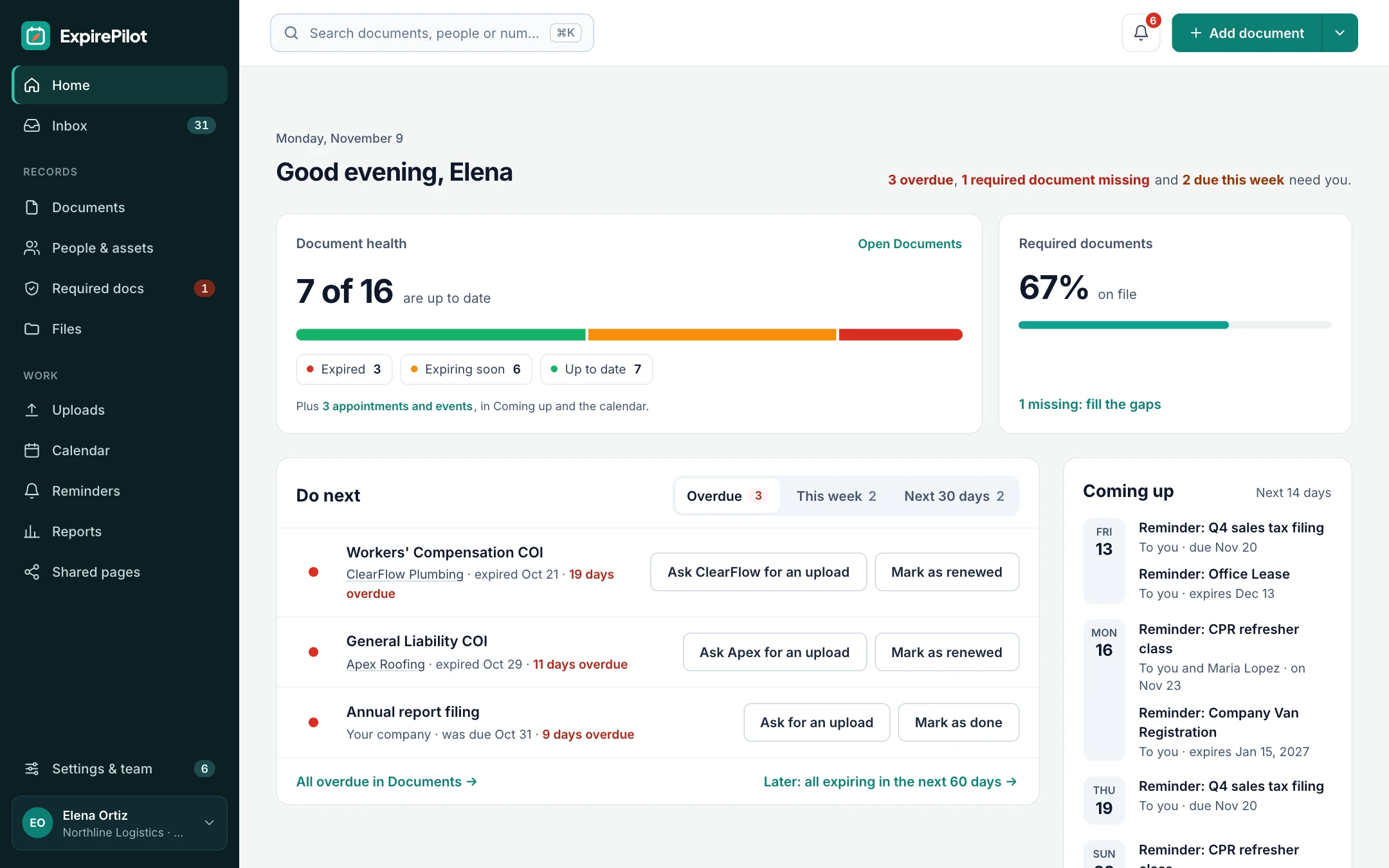
Catch every cancellation-notice deadline before a software plan renews itself. ExpirePilot keeps your licenses and subscriptions in one list, emails each tool’s owner 90, 60, 30 and 7 days ahead (or as early as you need), shows you who opened the reminder, and keeps chasing until it’s handled.
Free plan available. 14-day free trial, no credit card required.
Reminders at 90/60/30/7 daysSee who opened each reminderFree, unlimited view-only users
iDefinition
What is software renewal tracking?
Software renewal tracking means keeping one list of every software license and subscription, with its renewal date, cancellation-notice deadline and owner, and reminding the right people early enough to renew, renegotiate or cancel. ExpirePilot does this for small and mid-sized teams, without a SaaS management rollout.
By the ExpirePilot team · Last updated November 2, 2026 · Sources
!The risks
Risks of missing a software renewal
Most software doesn’t stop when its term ends. It renews itself. In Vertice’s Q3 2026 data, about 7 in 10 SaaS contracts auto-renewed. And Zylo’s 2026 SaaS Management Index found the average organization uses only 54% of the licenses it pays for.
Miss the notice deadline and you can be locked into another year of seats nobody uses. Example: a 50-seat plan at $30 per seat a month costs $18,000 a year. If it renews at 50 seats when you only need 30, that’s $7,200 a year spent on empty seats.
Miss the renewal itself and a security or backup tool can lapse, or you may lose a multi-year discount and be moved to pricier terms while you scramble.
A spreadsheet can’t remind anyone, follow up or keep the invoice to hand. ExpirePilot does all three automatically.
You’ve outgrown your spreadsheet if:
- You pay for more than a handful of tools
- Different people own different subscriptions
- Your plans auto-renew with a notice period
- You’ve paid for a renewal you meant to cancel
- The person who kept the list has left
01One list
Every license and subscription in one place
Add each tool with its renewal date, license or contract number, owner and files. Built-in Software License and Software Subscription types get you started, and you can add your own. Search, filter, tag, sort into folders and save views like “Renewing this quarter”.
Reminders go out 90, 60, 30 and 7 days before, or on your own schedule in days, weeks or months, and you can reuse a schedule for any tool.
SaaS subscriptionsSoftware licensesAnnual and multi-year plansSupport and maintenanceCloud and hosting plansSSL certificatesDomain namesCustom types
≡Set-up guide
What to record for every subscription
A good renewal record answers three questions: when do we have to decide, who decides, and what are we paying for. Here’s where each detail lives in ExpirePilot.
| What to record | Example | Where it goes in ExpirePilot |
|---|---|---|
| Product and plan | Microsoft 365 Business, 45 seats | Title |
| Item type | Software Subscription or Software License | Type (built in, or add your own) |
| Vendor and vendor contact | Northwind Software, renewals@… | A Vendor contact with an email address |
| License or contract number | NW-88213 | Document number |
| Start and renewal dates | Dec 6, 2025 → Dec 6, 2026 | Start date and expiry date |
| Cancellation-notice deadline | 30 days before renewal | Its own due-date item, with its own reminders |
| Owner | IT manager | Reminder recipients |
| Annual cost, seats, billing cycle, term | $4,800 a year · 45 seats · annual | Notes (exported with your reports) |
| Auto-renews? | Yes | A tag such as “auto-renew” |
| Department | Marketing | A tag or folder |
| Contract, order form, latest invoice | PDFs | Attached files |
ExpirePilot keeps cost and seat details as notes. It doesn’t add up spend or measure seat usage.
02Notice deadlines
Get reminded before the notice deadline, not the renewal date
Many software plans auto-renew unless you cancel a set number of days before the renewal date. That last day to cancel is the date that matters. An annual plan renewing March 31, 2027 with 30 days’ notice must be cancelled by March 1, 2027.
- Add the subscriptionEnter the renewal date and attach the order form or invoice.
- Add the notice deadlineAdd the last day to cancel as its own due date.
- Pick a sequenceReminders go out 90, 60, 30 and 7 days before the deadline.
Planning to renegotiate? Start 120 to 180 days before the cancel-by date. That leaves time to check usage with each owner, get competing quotes and push back on price increases. Reminder sequences can start up to 365 days ahead, with up to 12 reminders.
Tip: check your plan’s terms. Some vendors require notice in writing or through a specific portal.
Cancel on your terms, not the vendor’s.
Notice-deadline calculator
Enter a renewal date and notice period to see your cancel-by date and when to start reviewing.
Counts calendar days. Check your contract for business days or written-notice rules.
03Read receipts and follow-ups
Know the owner actually saw it, and keep chasing until it’s done
A reminder only helps if someone reads it. ExpirePilot’s reminder log shows whether each reminder was delivered, opened or clicked, so you know who has seen it. Reminders go to whoever needs to know: you, the tool’s owner, finance. If the renewal date passes and nothing was updated, ExpirePilot tells your Owners and Admins and keeps following up until it’s handled. Everything stops once you mark it renewed.
| When | Who is notified | How |
|---|---|---|
| 90, 60, 30 and 7 days before (or your schedule) | You and the teammates you choose | |
| The day after the date passes | Your company’s Owners and Admins | |
| After the date, every few days (you choose) | The usual reminder recipients, until it’s renewed |
Text message reminders are coming soon.
✓Process
What to review before a software renewal
When the first reminder lands, work through these steps with the tool’s owner. Then record the decision so the next renewal starts from facts.
- Check seats against peopleCompare seats paid for with the people who actually use the tool. Ask the owner, or check the vendor’s admin console.
- Check the priceRead the renewal quote for price increases, and the contract for escalator clauses or a price cap.
- Look for overlapGroup tools by department with tags and look for two tools doing the same job.
- Decide: renew, renegotiate or cancelRenew as is, ask for fewer seats or a better price, or give notice before the cancel-by date.
- Record the outcomeMark it renewed with the new date and invoice, or archive it so its reminders stop and its history stays.
Renew, renegotiate or cancel?
- Renew when the tool is used, the price is fair and nothing overlaps.
- Renegotiate when seats are unused, the price went up, or a multi-year term could earn a discount.
- Cancel when another tool already does the job or nobody has used it this term.
ExpirePilot doesn’t measure usage. It makes sure this review happens on time, with the right person and the contract to hand.
04AI scanning
AI reads your invoices and order forms
Upload an invoice, order form, quote or license certificate and ExpirePilot reads it. It pulls out the product, the vendor, the license or contract number and the start and renewal dates, then fills in your record. You review it and click confirm.
It works on PDFs, scans and phone photos. Scan many documents at once, or import your existing spreadsheet. AI reads dates, not cancellation clauses, so you add the notice deadline yourself.
What it extracts
Product or plan nameItem typeVendorLicense or contract numberStart dateRenewal date
Load your whole software stack in an afternoon.
05Records & reports
Every renewal, its history and its files together
Each item keeps its dates, vendor, license number, tags, notes and the contract or invoice. Mark it renewed and ExpirePilot saves the previous term’s dates, number and files, so you can see what you paid for each year.
When finance asks what’s renewing next quarter, or a new IT manager takes over, it’s one export away.
- A renewal forecast showing how many renewals fall in each month
- Reports: expiring soon, expired, by vendor, by type and all items
- A private calendar link for Google Calendar, Outlook and Apple Calendar, with “renew by” entries
- A weekly summary email of what’s coming up, if you want one
- Export as PDF, Excel or CSV
vsComparison
Spreadsheet vs software renewal tracking
A sheet is fine for a few tools one person checks every week. Once renewals are spread across people, it needs to remind them on its own.
| Capability | Spreadsheet | ExpirePilot |
|---|---|---|
| Reminds people before renewal | No | 90, 60, 30 and 7 days, or your own schedule |
| Reminds the right owner | Only whoever set the alert | Each tool’s owner and the teammates you pick |
| Follows up if nothing happens | No | Repeats after the date and alerts Owners and Admins |
| Keeps the invoice or contract | Separate folders | Stored with the record |
| Reads dates from documents | Typed by hand | Scan with AI, you confirm |
| Keeps past terms | Overwritten | Every earlier version kept |
| Shows the reminder was seen | No | Delivered, opened and clicked |
| Cost | Free, plus admin time | Free plan, paid from $15/month |
☐Buyer’s checklist
What to look for in software renewal tracking software
Use this checklist for any tool you’re considering. Here’s how ExpirePilot does on each point.
| Look for | ExpirePilot |
|---|---|
| Reminders before the notice deadline, not just the renewal date | Yes |
| Reminder schedules you can change, starting months ahead | Yes |
| Reminders to each tool’s owner, not one shared inbox | Yes |
| Follow-ups and escalation when a date passes | Yes |
| Proof the reminder was delivered and opened | Yes |
| Contracts and invoices stored with each record | Yes |
| Renewal history for every past term | Yes |
| Spreadsheet import and export | Yes |
| AI that reads dates from invoices and order forms | Yes |
| Calendar feed for Google Calendar, Outlook and Apple Calendar | Yes |
| Free view-only access for finance and managers | Yes |
| Tracks SSL certificates, domains and other renewals in the same account | Yes |
| Automatic discovery of the apps people use | No |
| Seat usage and spend analytics | No |
| Slack or Microsoft Teams alerts | No |
If you need the last three, look at a SaaS management platform (compared below).
?Which tool do you need?
Renewal tracking vs SaaS management platforms
If your main problem is “we keep missing renewals,” you may not need a full SaaS management platform.
| Software renewal tracking (ExpirePilot) | SaaS management platform | Spreadsheet + calendar | |
|---|---|---|---|
| Examples | ExpirePilot | Zylo, Torii, Vertice, Zluri | Excel, Google Sheets |
| Main job | Make sure renewal and notice dates are acted on | Discover apps, measure usage, manage spend and procurement | Store a list of dates |
| Automatic reminders | Yes, to each owner and your team | Yes | Only if one person sets them |
| Finds the apps people use | No, you add them | Yes, through SSO or finance data | No |
| Seat usage and spend analytics | No | Yes | Manual |
| Tracks other renewals (SSL, domains, insurance, licenses) | Yes | Usually not | Yes |
| Setup | Same day | Weeks, with integrations | Minutes |
| Best for | Small and mid-sized teams and lean IT | Larger companies with hundreds of apps | A few tools and one owner |
ExpirePilot reminds you of the dates you enter. It doesn’t read your contract terms or connect to your vendors’ billing.
◎Who it’s for
Renewal tracking for IT, finance, procurement and legal
Built for small and mid-sized teams that need renewals handled. View-only users are free and unlimited on every plan, so finance, managers and clients can check what’s renewing at no extra cost.
Lean IT
No lapsed licenses
A one- or two-person IT team tracks security, backup and productivity licenses. Each renewal reminds them early, and Owners hear about anything that lapses.
Finance
Cancel the tools nobody uses
A finance lead tracks every subscription and its notice deadline, with time to check seats before anything renews. Finance teammates can watch everything as free view-only users.
Procurement
Time to negotiate
Procurement starts reminders 4 to 6 months before big contracts renew, keeps every quote and invoice on the record, and exports what’s renewing each quarter.
Legal
Notice dates, not surprises
Legal adds the cancel-by date for every auto-renewing agreement, attaches the signed copy and gets reminded in time to send notice.
MSPs and IT providers
Every client’s renewals in one place
An IT provider tracks each client’s licenses, SSL certificates and domains, tagged by client, with reminders to its own team and, if it likes, the client’s contact.
Operations
Handovers without surprises
When someone leaves, their renewals, files and history are already in ExpirePilot. Change who gets the reminders and nothing slips.
Tracking vendor contracts and leases too? See contract reminder software →
→Getting started
Up and running the same day
No sales call, no integrations to set up.
Step 1 · About 15 minutes
Bring in your tools
Import your renewal spreadsheet, or scan invoices and order forms and let AI fill in the dates for you to check.
Step 2 · About 10 minutes
Add owners and notice deadlines
Choose who gets reminded for each tool, and add the cancel-by date for anything that auto-renews.
Step 3 · Automatic
Reminders run themselves
Reminders and follow-ups go out on schedule. Mark items renewed as invoices come in.
⇄Integrations
Works with the tools you have
ExpirePilot doesn’t connect directly to your SSO, accounting or SaaS management tools yet. Most teams don’t need it to get started:
- Import a spreadsheet of your software (Excel or CSV)
- A private calendar link for Google Calendar, Outlook and Apple Calendar
- Export any report as Excel, CSV or PDF, or download everything at once
A public API and Zapier connection are on our roadmap.
✓Security
Your data stays private
- Each company’s records and files are kept separate
- Files are stored encrypted on Amazon Web Services and open only through short-lived secure links
- Automatic backups cover the last 35 days
- Owner, Admin, Member and Viewer roles control who sees and changes what
- Export everything any time. No lock-in.
We aren’t SOC 2 audited yet. If your organization needs a SOC 2 report, contact us before you sign up.
$Pricing
Free plan and pricing
You can track software renewals for free. ExpirePilot’s free plan covers up to 20 items with unlimited email reminders and AI scanning, which is enough for your most important subscriptions or to try it out properly. No credit card, no time limit.
When you need more, paid plans start at $15 a month. Every new account also gets a 14-day free trial with Business-level features, so you can load your whole software list before deciding.
Free plan includes
- Up to 20 licenses and subscriptions
- 1 editing user, plus unlimited view-only users
- Unlimited email reminders
- 10 AI scans a month
- Free forever. Nothing is deleted if you stay on it.
Basic
For one person keeping a business compliant.
or $165 a year (1 month free)
- 250 tracked items
- 1 user who can edit
- 50 AI scans / month
- 2 GB file storage
or try it free for 14 days
Professional
For small teams sharing renewals and compliance.
or $429 a year (1 month free)
- 800 tracked items
- 3 users who can edit
- 200 AI scans / month
- 10 GB file storage
or try it free for 14 days
Most popular
Business
For growing teams tracking many people and vendors.
or $869 a year (1 month free)
- 2,000 tracked items
- 6 users who can edit
- 500 AI scans / month
- 25 GB file storage
or try it free for 14 days
Enterprise
For larger companies and multiple departments.
or $1,749 a year (1 month free)
- 5,000 tracked items
- 15 users who can edit
- 1,500 AI scans / month
- 50 GB file storage
or try it free for 14 days
Pay yearly and get one month free. View-only users are free and unlimited on every plan, so finance and managers can check what’s renewing at no extra cost. Our prices are public: no sales call or quote needed.
14 days free · No credit card required · Drops to the free plan, not a bill
Start free, and pay only when your software list outgrows it.
Software renewal tracking means keeping one list of every software license and subscription, with its renewal date, cancellation-notice deadline and owner, and reminding the right people early enough to renew, renegotiate or cancel. It prevents surprise auto-renewals and lapsed licenses. ExpirePilot does this for small and mid-sized teams.
List every license and subscription in one place with its renewal date, license or contract number, owner and the contract or invoice file. Then set reminders that go to the owner well before the renewal and the notice deadline. In ExpirePilot you can import your existing spreadsheet or scan invoices with AI to build that list quickly.
Track the cancellation-notice deadline, not just the renewal date. Add it to ExpirePilot as its own due date with reminders 90, 60, 30 and 7 days before, so there is time to check usage and decide before notice closes.
Yes. ExpirePilot’s free plan tracks up to 20 items with unlimited email reminders and 10 AI scans a month, with no time limit and no credit card. New accounts also get a 14-day free trial with Business features. Paid plans start at $15 a month for 250 items.
Yes. Upload an Excel or CSV file, match your columns to ExpirePilot’s fields and import. You can export everything back to a spreadsheet at any time.
No. ExpirePilot tracks dates, owners, files and reminders. You can note seat counts or prices on an item, but it doesn’t discover apps, measure usage or calculate spend. Those are jobs for a SaaS management platform.
Yes. Subscribe to your private ExpirePilot calendar link in Google Calendar, Outlook or Apple Calendar, and your renewal dates appear alongside your meetings, with an optional “renew by” entry 7 to 90 days before each one.
Yes. The same account can track SSL certificates, domains, warranties, support contracts, insurance certificates, business licenses and staff certifications.
Each company’s records and files are kept separate, files are stored encrypted on Amazon Web Services and open only through short-lived secure links, and automatic backups cover the last 35 days. Roles control who can see and change what, and you can export everything at any time. ExpirePilot isn’t SOC 2 audited yet.
Start 90 days before the cancel-by date to renew or cancel, and 120 to 180 days ahead for anything you plan to renegotiate. A common schedule is 90, 60, 30 and 7 days before the deadline. In ExpirePilot you can start reminders up to 365 days ahead, with up to 12 reminders per schedule.
Renewal tracking makes sure renewal and notice dates are acted on by the right person. SaaS management platforms such as Zylo, Torii or Vertice also discover the apps people use, measure seat usage and manage spend. Small and mid-sized teams often only need renewal tracking, which is faster to set up and costs far less.
Start early, compare seats paid for with people who use the tool, check the quote for price increases, cut overlapping tools, and ask for fewer seats or a multi-year discount. Most of the savings depend on having the time to do this before the notice deadline.
If the contract auto-renews, you are usually committed to another full term at the renewal price. Some vendors will negotiate, but you lose your leverage. Tracking the cancel-by date with early reminders is the simplest way to avoid it.
Sources
- Vertice, Contracts containing auto-renewal clauses by category, Q3 2026 data from Vertice’s platform.
- Zylo, How much is wasted on SaaS spend, citing Zylo’s 2026 SaaS Management Index.
The seat-cost figures in this guide are an illustrative example, not a benchmark. Notice periods and renewal terms vary by vendor and contract.
Never get caught by a software auto-renewal again
Let ExpirePilot remind each tool’s owner, keep every invoice to hand and give you time to decide before anything renews.
No credit card required. Free plan available.