Document upload links
Collect Renewed Documents Without Chasing
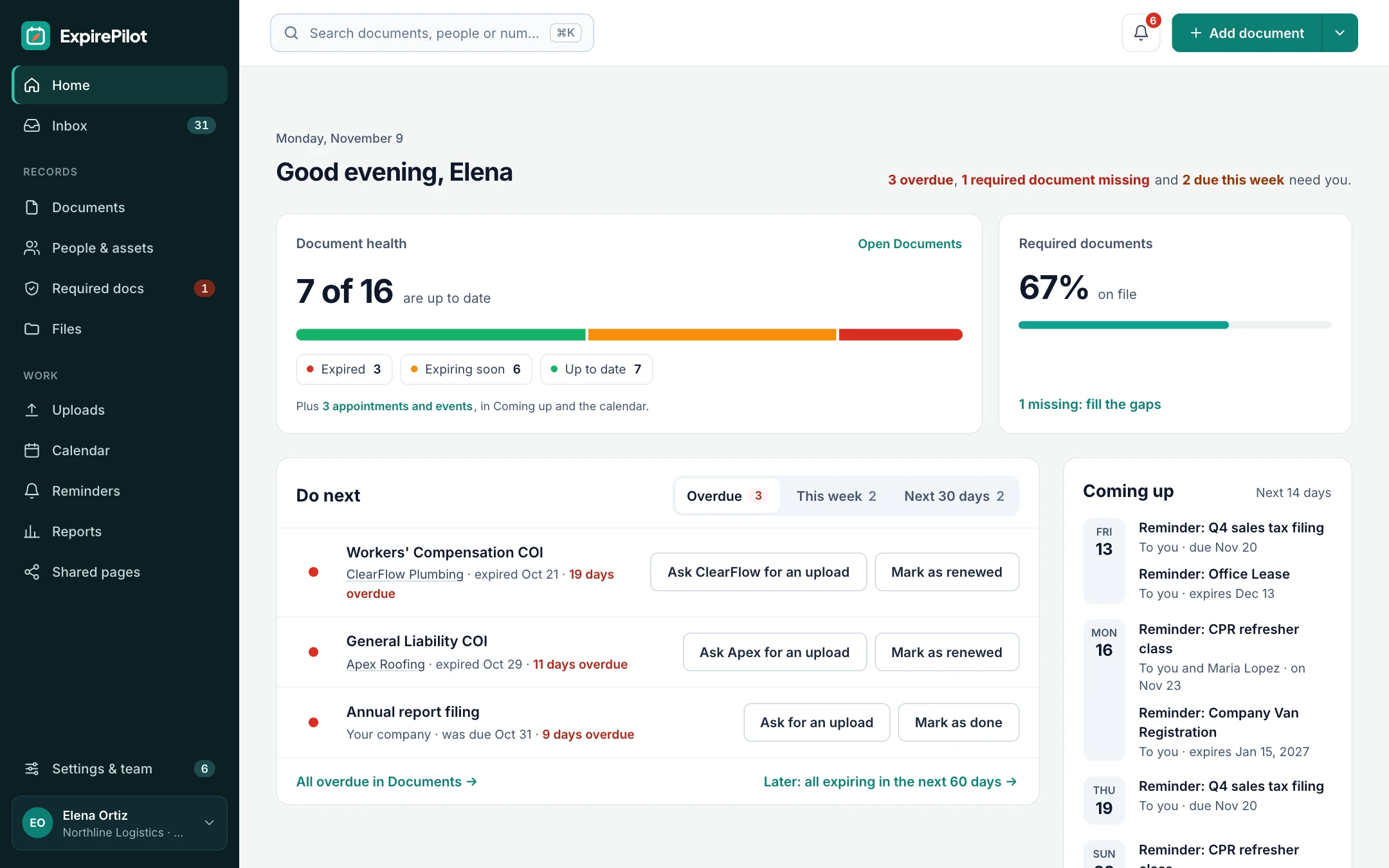
Stop asking people to email you their new certificate. Every ExpirePilot reminder carries a secure upload link. Employees, vendors and their agents send the renewed document from their phone or computer, with no account and no password. You check it, approve it, and the new expiration date takes over.
Free plan available. 14-day free trial, no credit card required.
No account or password neededWorks on any phoneYou approve before anything changes
iDefinition
What is a document upload link?
A document upload link is a secure, personal web link that lets someone outside your company send you a file without creating an account. In ExpirePilot, each upload link belongs to one tracked item, such as a nurse’s license or a subcontractor’s insurance certificate, so the file arrives already matched to the right person and document. Uploaded files wait in a review queue until someone on your team approves them, and only then is the record updated.
!The problem
Renewed documents get lost in inboxes, texts and paper files.
Getting the reminder out is half the job. The other half is getting the new document back.
People reply to old email threads, text a blurry photo to the wrong person, or say they renewed and never send proof. Someone then has to save the file, find the right record and update the date by hand, for every document, every time.
With an upload link, the document comes straight to the right record, and you just approve it.
Upload links will help if:
- You chase employees or vendors for proof of renewal
- Renewed documents arrive by email, text and paper
- Vendors don’t want yet another account and password
- Someone re-types dates from every renewed document
- You can’t tell at a glance who still owes you a document
→How it works
From reminder to approved document in three steps
Step 1
They get the link
Each reminder email includes a personal upload link for that document, in English or Spanish.
Step 2
They upload the file
A PDF from their agent or a photo from their phone. No account, no password, no app to install.
Step 3
You approve it
The file lands in your review queue. Check it, approve it, and the new expiration date takes over.
01No-login uploads
As easy as replying to an email
The person opens the link, attaches the renewed document and adds the new expiration date. That’s it.
It works in any phone or computer browser, so a driver can photograph a new medical card in the cab, and an insurance agent can send a certificate straight from their office. Nobody needs an ExpirePilot account, and you don’t pay for them: people are unlimited on every plan.
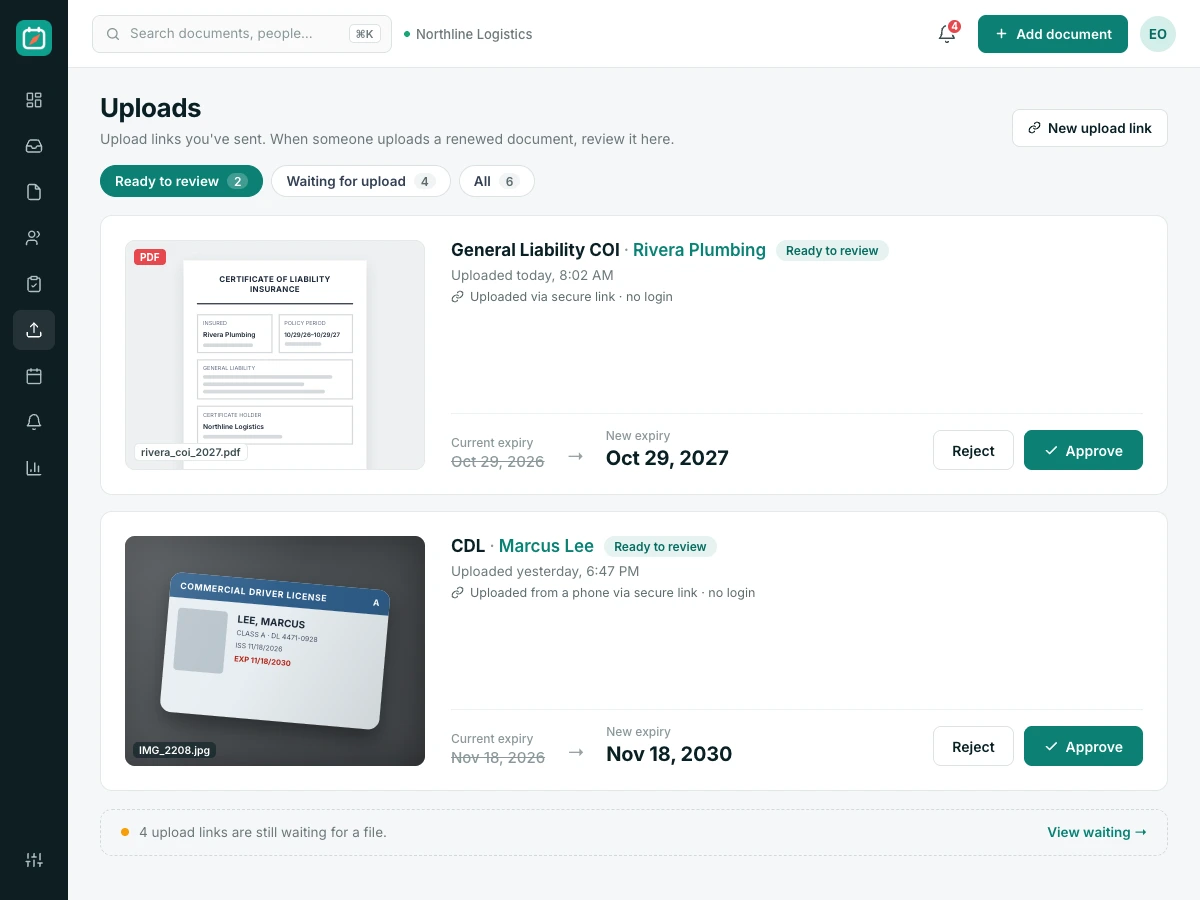
02Review queue
Nothing changes until you approve it
An upload link makes it easy to send you a document. It doesn’t let anyone change your records.
Every upload waits in the review queue. Someone on your team checks the file against your requirements, then approves it. The old document stays in the item’s history, so you can still show what was in force on an earlier date.
What happens to an upload
| Step | What you see |
|---|---|
| File arrives | A new entry in Uploads, matched to the right item |
| You review | The file, the new date and who sent it |
| You approve | The new date replaces the old one; reminders stop |
| You reject | The record stays as it was, and you can ask again |
“Done” clicks from reminder emails go to the same queue.
03Request missing documents
Ask everyone who still owes you a document, in one go
Some documents never arrive in the first place.
When a new hire or vendor is missing something their role requires, send an upload request straight away. Or select everyone who still owes a document and send all the requests at once. Each person gets their own link for their own document.
Ways to request a document
- Automatically, inside every reminder email
- One click from any item or person
- In bulk, for everyone missing a required document
- Send it to a contact too, like a vendor’s insurance agent
- Recipients get it in English or Spanish
vsComparison
Chasing by email vs upload links
Both get you the document eventually. Only one puts it in the right place with the right date.
| Capability | Email and text | ExpirePilot |
|---|---|---|
| Needs an account or password | No | No |
| File matched to the right record | You do it by hand | Automatically |
| New date entered | You re-type it | Sent with the upload, you confirm |
| Approval before records change | Informal | Review queue |
| Old document kept in history | If someone saves it | Always |
| See who still owes a document | No | Live list of what’s missing |
◎Use cases
Who sends documents through upload links
Anyone you need a renewed document from.
Employees
Licenses and certifications
Drivers, nurses, technicians and crews send renewed licenses and training certificates from their phones.
Vendors and subcontractors
Certificates of insurance
Vendors, or their insurance agents, upload new COIs before the old policy lapses.
Tenants
Renter and liability insurance
Property managers collect each tenant’s renewed insurance certificate without a portal login.
Franchisees and partners
Licenses and permits
Franchise offices collect each location’s renewed licenses and permits in one place.
+More features
Everything else ExpirePilot does for you
All in one simple tool, with a free plan to try it.
✦ Feature
AI document scanning
Snap a photo or upload a PDF. AI fills in the dates and details for you to check.
◷ Feature
Automated expiration reminders
90, 60, 30 and 7-day reminders, or your own schedule, that stop once it’s renewed.
↗ Feature
Reminder escalation
Managers, then Owners and Admins, hear about anything nobody renews.
@ Feature
Reminder email tracking
See whether each reminder was delivered, opened and clicked.
✓ Feature
Required documents by role
Set what each role needs and see who’s missing what.
▤ Feature
Reports and audit packets
Excel, CSV and PDF reports, plus a one-click audit packet.
$Pricing
Free plan and pricing
You can start for free. ExpirePilot’s free plan covers up to 20 tracked items with unlimited email reminders, unlimited people and 10 AI scans a month. No credit card, no time limit.
Paid plans start at $15 a month. Every new account also gets a 14-day free trial with Business-level features, so you can load everything you track before deciding.
Free plan includes
- Up to 20 tracked items
- 1 editing user, plus unlimited view-only users
- Unlimited email reminders
- 10 AI scans a month
- Free forever. Nothing is deleted if you stay on it.
Basic
For one person keeping a business compliant.
or $165 a year (1 month free)
- 250 tracked items
- 1 user who can edit
- 50 AI scans / month
- 2 GB file storage
or try it free for 14 days
Professional
For small teams sharing renewals and compliance.
or $429 a year (1 month free)
- 800 tracked items
- 3 users who can edit
- 200 AI scans / month
- 10 GB file storage
or try it free for 14 days
Most popular
Business
For growing teams tracking many people and vendors.
or $869 a year (1 month free)
- 2,000 tracked items
- 6 users who can edit
- 500 AI scans / month
- 25 GB file storage
or try it free for 14 days
Enterprise
For larger companies and multiple departments.
or $1,749 a year (1 month free)
- 5,000 tracked items
- 15 users who can edit
- 1,500 AI scans / month
- 50 GB file storage
or try it free for 14 days
Pay yearly and get one month free. Each document, license, certificate or contract counts as one tracked item, and people are unlimited. View-only users are free and unlimited on every plan, so managers can check on things at no extra cost. Our prices are public: no sales call or quote needed.
14 days free · No credit card required · Drops to the free plan, not a bill
Start free, and pay only when your list outgrows it.
No. They open the secure link from their reminder email, attach the file and send it. No account, password or app is needed.
PDFs and photos, including pictures taken with a phone.
No. Every upload goes to your review queue, and the record only changes once someone on your team approves it.
Yes. Send a request for any item in one click, or send requests to everyone who is missing a required document at once.
Yes. Add the agent as a contact on the vendor, and they get the same reminders and upload link.
Yes. Reminders and the upload page can be in English or Spanish.
Yes. When you approve a renewal, the previous document stays in the item’s history.
No. People and contacts are unlimited on every plan; only team members who can edit count as users.
Let the renewed documents come to you
Send every reminder with an upload link, approve what comes back and never chase a certificate by email again.
No credit card required. Free plan available.