COI tracking software
COI Tracking Software
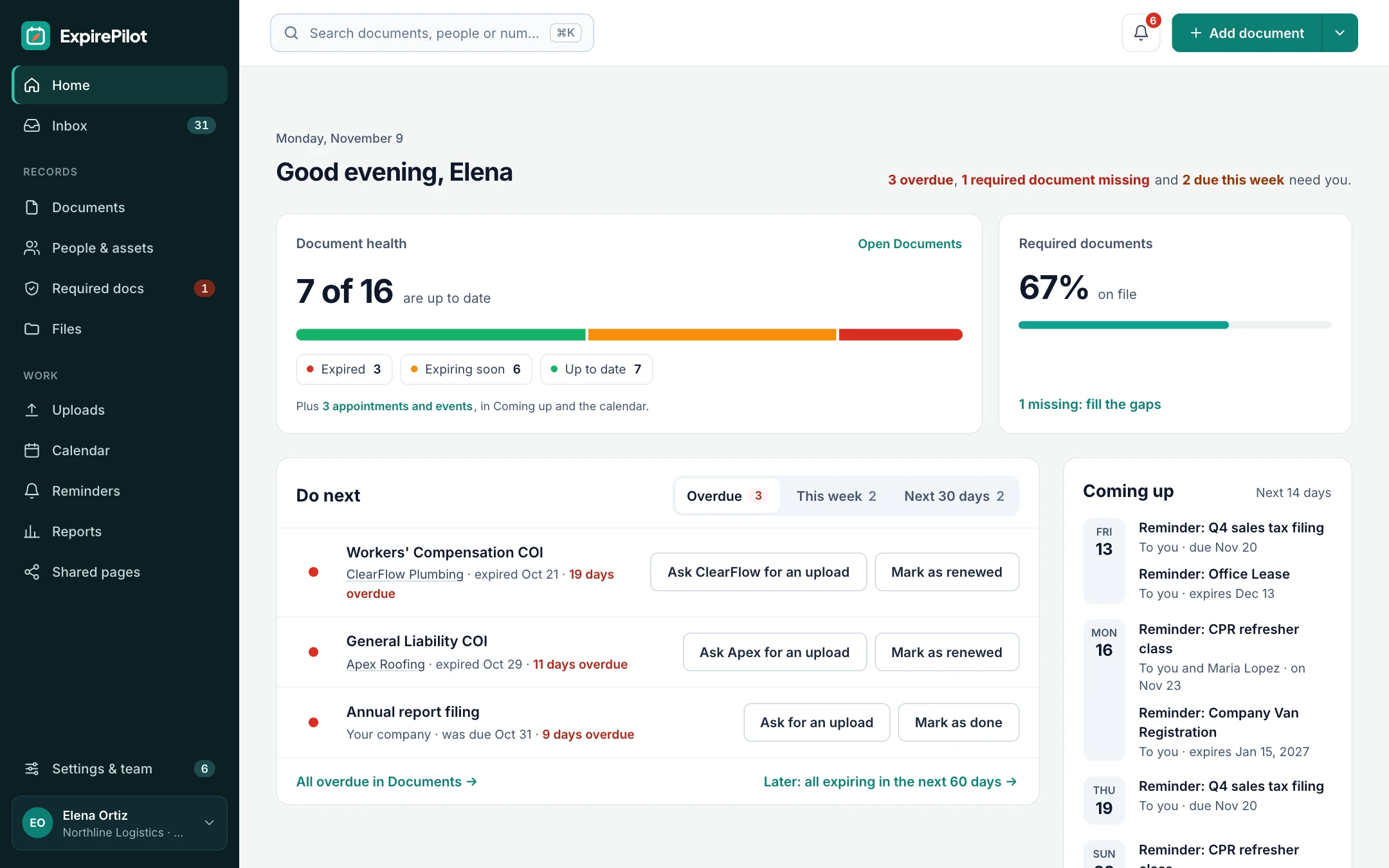
Track every vendor and subcontractor certificate of insurance in one place. ExpirePilot reminds them before each COI expires, collects the renewed certificate through a no-login upload link, and keeps a record for your next audit.
Free plan available. 14-day free trial, no credit card required.
Vendor reminders at 90/60/30/7 daysNo-login COI uploadsAI reads the certificate
iDefinition
What is COI tracking software?
COI tracking software keeps a record of every certificate of insurance your vendors, subcontractors and tenants send you, with each policy’s expiration date. It reminds them before coverage lapses, collects the renewed certificates, and shows which vendors are missing a certificate you require. ExpirePilot does this for small and mid-sized businesses, contractors and property managers that have outgrown a spreadsheet.
!The problem
An expired COI becomes your problem, not your vendor’s.
You collect a certificate when a vendor starts, file it, and move on. Months later the policy renews, nobody sends the new certificate, and a subcontractor is on site with coverage you can’t prove. If something goes wrong, the claim can land on your own policy.
Chasing dozens of vendors and their insurance agents by email is the part that slips. Not because anyone forgot, but because a spreadsheet can’t follow up on its own.
A spreadsheet can’t remind a vendor, collect the new certificate or show who’s missing one. ExpirePilot does all three automatically.
You’ve outgrown your COI spreadsheet if:
- You work with more than 20 vendors or subcontractors
- Each vendor has several policies with different expiration dates
- Different kinds of vendors need different certificates
- You’ve found an expired certificate after the work was done
- A client, lender or auditor has asked you to prove coverage
vsComparison
COI tracking spreadsheet vs COI tracking software
A spreadsheet stores expiration dates. COI tracking software acts on them.
| Capability | Spreadsheet | ExpirePilot |
|---|---|---|
| Reminds vendors before a COI expires | No | 90, 60, 30 and 7 days, or your own schedule |
| Collects renewed certificates | You chase by email | No-login upload link, you approve |
| Shows which vendors are missing a COI | Manual cross-checking | Live, by vendor type |
| Tells someone when a vendor ignores it | No | Automatic escalation |
| Reads dates off the certificate | Typed by hand | AI scan, you confirm |
| Keeps the certificate file | Separate folders | Stored with the record |
| Proves you followed up | No history | Log of every reminder sent |
| Cost | Free, plus admin time | Free plan, paid from $15/month |
01COI expiration reminders
Track every vendor’s general liability, workers’ comp and auto COI in one place
Add each vendor or subcontractor, then each certificate they owe you, and ExpirePilot watches the dates. The vendor gets an email 90, 60, 30 and 7 days before a policy expires, with a link to upload the renewed certificate. Keep the standard schedule, or build your own and pick it for any certificate type.
Add the vendor’s insurance agent as a contact too, and they get the same reminder. Reminder emails can go out in English or Spanish, and you can see whether each one was opened.
General LiabilityWorkers’ CompensationCommercial AutoUmbrella / ExcessProfessional Liability / E&OBuilder’s RiskPollution LiabilityCyber LiabilityCustom certificate types
Reminder sequence · 90 / 60 / 30 / 7 days before
↗Escalation
If a vendor ignores the reminder, someone on your team hears about it
If a certificate still isn’t renewed, ExpirePilot tells the teammate who manages that vendor before the deadline, then your Owners and Admins, and keeps following up until it’s handled. Everything stops once you approve the new certificate.
| When | Who is notified | How |
|---|---|---|
| 90, 60, 30 and 7 days before | The vendor, their agent if you add them, and the teammate responsible | Email with an upload link |
| Up to 30 days before (you choose) | The teammate who manages that vendor | |
| The day after it expires | Your company’s Owners and Admins | |
| After expiry, every few days (you choose) | The usual reminder recipients, until it’s renewed |
Reminders go by email on every plan, including Free. Text message reminders are coming soon.
Stop chasing certificates. ExpirePilot chases them for you.
02No-login uploads
Vendors upload renewed certificates themselves, no login needed
Every reminder includes a secure upload link. The vendor or their agent opens it, attaches the new COI as a PDF or a photo, and it lands in your review queue. They don’t need an app, a password or an account.
Reminder emails also have one-click buttons, so a vendor can mark it done or upload a file straight from their inbox. Nothing changes until you approve it.
- Vendor gets the linkEach reminder includes a personal upload link.
- They upload the COIA PDF from their agent or a photo from their phone.
- You approve itCheck the certificate, approve it, and the new date takes over.
Missing a certificate altogether? Send upload requests to every vendor who still owes one, in one go.
Certificates come to you, not the other way around.
03Required certificates
Set which COIs each kind of vendor needs and see who’s missing what
Tell ExpirePilot what you require, for example “Subcontractors need General Liability and Workers’ Compensation” or “Cleaning vendors need General Liability.” Give a vendor that role and their requirements come with it.
You see straight away which vendors are fully covered, which have a certificate expiring soon and which never sent one. Excuse a vendor from a certificate that doesn’t apply to them, such as workers’ comp for a sole proprietor with no employees.
Every certificate shows as up to date, expiring soon, expired or missing, so you can check a vendor before they start work or before you pay them.
Know which vendors are covered before they’re on site.
04AI scanning
AI reads the certificate for you
Upload a COI, such as an ACORD 25 certificate, and ExpirePilot reads it. It pulls out the insured vendor, the insurer, the policy number and the dates, then fills in the record. You check it and click confirm.
It works on PDFs, scans and phone photos. Scan up to 25 certificates at once, or import the COI spreadsheet you already have. If a certificate lists several policies with different dates, save each policy as its own item so each one gets its own reminders.
What it extracts
Insured vendorCertificate typeInsurerPolicy numberEffective dateExpiration date
Load a year of certificates in an afternoon, not a week.
05Records & audits
Prove coverage to a client, lender or auditor in minutes
Every certificate, its expiration date and its reminder history sit in one place, so you can show exactly what’s asked for: one vendor, one site or every vendor you use.
Download an audit packet: a summary PDF plus every certificate file, in a folder per vendor, in one click. When a policy renews, the old certificate stays in the history, so you can show what was in force on a given date.
- Every current certificate, with vendor, type and expiration date
- Expiring and expired certificates, flagged clearly
- Reminder activity: who was reminded, when and whether they opened it
- Export as PDF, Excel or CSV
✓Checklist
What to check on every certificate of insurance
ExpirePilot tracks the dates and collects the files. Before you approve a certificate, a person on your team should check it against your contract. Here’s what to look at.
| What to check | Why it matters | Where ExpirePilot helps |
|---|---|---|
| Insured name | It should match the company you hired, not a parent or sister company | AI reads the insured name and matches it to your vendor |
| Policy effective and expiration dates | Coverage has to be in force for the whole job | Tracks each date and reminds before it lapses |
| Coverage types | Each required policy should be listed, such as general liability and workers’ comp | Required certificates by vendor type show what’s missing |
| Limits | Each limit should meet the minimum in your contract | Your reviewer checks; note the limits on the record |
| Additional insured and waiver of subrogation | Often required by your contract; usually shown by an endorsement | Your reviewer checks; attach the endorsement to the same record |
| Certificate holder | Should be your company, with the correct legal name and address | Your reviewer checks before approving |
ExpirePilot doesn’t yet compare limits or endorsements against your requirements automatically, and it doesn’t give insurance or legal advice. A standard ACORD 25 certificate is for information only and doesn’t change the policy itself, so ask for the endorsement when your contract requires it.
⏱Reference
Common COI types and how often they renew
A quick reference for setting up reminders. Always go by the dates printed on the certificate.
| Certificate | Typical term | Who usually asks for it |
|---|---|---|
| General liability | 12 months | Almost everyone: general contractors, property managers, landlords, event venues |
| Workers’ compensation | 12 months | Anyone hiring a vendor with employees on site |
| Commercial auto | 12 months, sometimes 6 | Delivery, transport and any vendor driving for the job |
| Umbrella / excess liability | 12 months | Larger contracts that need limits above the base policy |
| Professional liability / E&O | 12 months | Consultants, architects, engineers, IT providers |
| Builder’s risk | The length of the project | Owners and lenders on construction projects |
ExpirePilot isn’t limited to US ACORD forms. It tracks any certificate with an expiry date, including Canadian certificates of insurance, UK public liability certificates and Australian certificates of currency.
◎Industries
COI tracking for contractors, property managers and anyone who hires vendors
Built for businesses with about 20 to 500 vendors, without an enterprise rollout.
Construction
Subcontractor COI tracking
A general contractor needs general liability and workers’ comp from every sub before they start. Required certificates by vendor type show who’s cleared, subs upload renewals from a link, and reminders can go out in Spanish.
Property management
Vendor and tenant certificates
A property manager tracks COIs from cleaners, landscapers and repair vendors, plus tenant certificates, across several buildings. Add each building as a location, and give site managers free view-only access.
Facilities and procurement
Covered before the purchase order
A procurement or facilities team checks that a supplier’s certificates are current before work starts or an invoice is paid. Reports by vendor show what’s on file, and the audit packet answers the auditor.
Franchises, HOAs and events
Many certificates, a small team
A franchise office, HOA board or event venue collects certificates from franchisees, contractors or exhibitors. One person sets it up in an afternoon, and reminders run on their own after that.
Employee licenses, contracts, permits and vehicle registrations can live in the same account. See certification tracking →
?Which option do you need?
COI tracking software vs a full-service provider vs a spreadsheet
There are three ways to handle certificates. Pick the one that fits your volume and how much review you want to do yourself.
| Self-serve COI tracking software | Full-service COI management | Spreadsheet | |
|---|---|---|---|
| Who reviews each certificate | Your team, with AI filling in the details | The provider’s compliance staff | Your team, by hand |
| Who chases vendors | Automatic reminders and upload links | The provider | Your team, by email |
| Checks limits and endorsements against your contract | Varies by tool. ExpirePilot: your reviewer does | Usually yes | Your team, by hand |
| Pricing | Often a public monthly price. ExpirePilot: free plan, paid from $15/month | Often per vendor and quoted after a sales call | Free, plus admin time |
| Setup | Same day | Usually an onboarding project | Minutes |
| Best for | Small and mid-sized teams that want control and low cost | Large vendor bases and strict contract requirements | A handful of vendors |
→Getting started
Up and running the same day
No sales call, no implementation project.
Step 1 · About 15 minutes
Bring in your vendors and COIs
Import your COI spreadsheet, or scan up to 25 certificates at once and let AI fill in the details for you to check.
Step 2 · About 10 minutes
Set what each vendor needs
Say which certificates each kind of vendor must have. ExpirePilot shows who’s missing what and sends upload requests.
Step 3 · Automatic
Reminders run themselves
Reminders, upload links and escalations go out on schedule. You approve renewed certificates as they come in.
⇄Integrations
Works next to the tools you have
ExpirePilot doesn’t connect directly to Procore, Yardi or ERP systems yet. Most teams don’t need it to get started:
- Import your vendor list or COI log from any system (Excel or CSV)
- Scan certificate PDFs and photos with AI
- A private calendar link for Google Calendar, Outlook and Apple Calendar
- Export any report as Excel, CSV or PDF, or download everything at once
A public API and Zapier connection are on our roadmap.
✓Security
Your vendor records stay private
- Each company’s records and files are kept separate
- Certificates are stored encrypted on Amazon Web Services and open only through short-lived secure links
- Automatic backups cover the last 35 days
- Owner, Admin, Member and Viewer roles control who sees and changes what
- Two-step verification for your account
- Export everything any time. No lock-in.
We aren’t SOC 2 audited yet. If your organization needs a SOC 2 report, contact us before you sign up.
$Pricing
Free plan and pricing
You can track certificates of insurance for free. ExpirePilot’s free plan covers up to 20 COIs with unlimited email reminders, no-login vendor uploads and AI scanning, which is enough for your key vendors or to try it out properly. No credit card, no time limit.
When you need more, paid plans start at $15 a month. Every new account also gets a 14-day free trial with Business-level features, so you can load every vendor and certificate before deciding.
Free plan includes
- Up to 20 certificates
- 1 editing user, plus unlimited view-only users
- Unlimited email reminders
- 10 AI certificate scans a month
- Free forever. Nothing is deleted if you stay on it.
Basic
For one person keeping a business compliant.
or $165 a year (1 month free)
- 250 tracked items
- 1 user who can edit
- 50 AI scans / month
- 2 GB file storage
or try it free for 14 days
Professional
For small teams sharing renewals and compliance.
or $429 a year (1 month free)
- 800 tracked items
- 3 users who can edit
- 200 AI scans / month
- 10 GB file storage
or try it free for 14 days
Most popular
Business
For growing teams tracking many people and vendors.
or $869 a year (1 month free)
- 2,000 tracked items
- 6 users who can edit
- 500 AI scans / month
- 25 GB file storage
or try it free for 14 days
Enterprise
For larger companies and multiple departments.
or $1,749 a year (1 month free)
- 5,000 tracked items
- 15 users who can edit
- 1,500 AI scans / month
- 50 GB file storage
or try it free for 14 days
Pay yearly and get one month free. View-only users are free and unlimited on every plan, so project and site managers can check a vendor’s coverage at no extra cost. Our prices are public: no sales call or quote needed.
14 days free · No credit card required · Drops to the free plan, not a bill
Start free, and pay only when your vendor list outgrows it.
COI tracking software keeps a record of every certificate of insurance your vendors, subcontractors and tenants provide, with each policy’s expiration date. It reminds them before coverage lapses, collects renewed certificates, and shows which vendors are missing a certificate you require. ExpirePilot is COI tracking software for small and mid-sized businesses, contractors and property managers.
The best COI tracking software is the one that keeps your certificates current without adding work. Look for:
- Automatic reminders to vendors before each policy expires, on a schedule you can change
- A way for vendors and their agents to upload renewed certificates without an account
- Required certificates by vendor type, with a live view of who’s missing what
- AI that reads the certificate so you don’t type dates by hand
- Escalation to someone on your team when a vendor ignores a reminder
- Public, predictable pricing, ideally with a free plan to try it
ExpirePilot does all six, with a free plan for up to 20 certificates and paid plans from $15 a month. If you need a provider to check every limit and endorsement for you, a full-service COI management company may suit you better.
To track certificates of insurance, list every vendor, record each policy and its expiration date, set reminders at least 30 to 90 days before each date, and keep a copy of every certificate. In ExpirePilot, you can import your COI spreadsheet or scan certificates with AI, set which certificates each kind of vendor needs, and reminders go out automatically at 90, 60, 30 and 7 days. Vendors upload the renewed COI from a link, and you approve it before the new date takes over.
COI tracking software ranges from free plans to several hundred dollars a month, and many full-service providers price per vendor and only quote after a sales call. ExpirePilot’s prices are public: $0 on the free plan, then $15, $39, $79 or $159 a month for 250 to 5,000 tracked items, with one month free on yearly billing. View-only users are free and unlimited on every plan.
Yes. ExpirePilot has a free plan that covers up to 20 certificates, unlimited email reminders, no-login vendor uploads and 10 AI certificate scans a month, with no time limit and no credit card. New accounts also get a 14-day free trial with Business features. Paid plans start at $15 a month for 250 tracked items.
Look for software you can set up yourself the same day, that vendors can use without an account, and that reads certificates for you. ExpirePilot needs no sales call or onboarding project: import a spreadsheet or scan up to 25 certificates at once, set what each vendor needs, and reminders start on their own. Vendors only ever click a link.
No. Each reminder includes a secure upload link. The vendor or their insurance agent opens it on a phone or computer and attaches the new certificate as a PDF or photo. It goes to your review queue, and the record only changes once you approve it.
Not automatically yet. ExpirePilot tracks policy dates, reminds vendors, collects certificates and shows which required certificates are missing. Someone on your team still checks limits, additional insured status, waiver of subrogation and the certificate holder before approving a certificate. You can note the limits on the record and attach the endorsement alongside the certificate.
Yes. AI scanning reads ACORD 25 certificates and other COI formats from PDFs, scans or phone photos. It fills in the insured vendor, the insurer, the policy number and the dates for you to check. When a certificate lists several policies with different expiration dates, save each policy as its own item so each one gets its own reminders.
Yes. Add each subcontractor, say which certificates subcontractors need (usually general liability and workers’ compensation, often with auto and umbrella), and ExpirePilot shows who’s cleared and who’s missing what. Subs upload renewals from a link, reminders can be sent in Spanish, and you can download an audit packet per subcontractor for a client or owner.
Yes. ExpirePilot uses a 90, 60, 30 and 7-day schedule by default, and you can build your own schedules and pick one for any certificate type. You also choose when a teammate is told, whether Owners and Admins hear about anything expired, and how often reminders repeat after the date. On paid plans you can edit the reminder email templates.
Yes. ExpirePilot tracks any certificate with an expiration date, so it works for Canadian certificates of insurance, UK public liability certificates and Australian certificates of currency as well as US ACORD forms. Prices are in US dollars, and reminder emails go out in English or Spanish.
Each company’s records and files are kept separate, certificates are stored encrypted on Amazon Web Services and open only through short-lived secure links, and automatic backups cover the last 35 days. Roles control who can see and change what, two-step verification protects your account, and you can export everything at any time. ExpirePilot isn’t SOC 2 audited yet.
Never accept an expired COI again
Let ExpirePilot remind your vendors, collect their renewed certificates and keep proof of coverage ready for your next audit.
No credit card required. Free plan available.