Reports and audit packets
Audit-Ready Reports in One Download
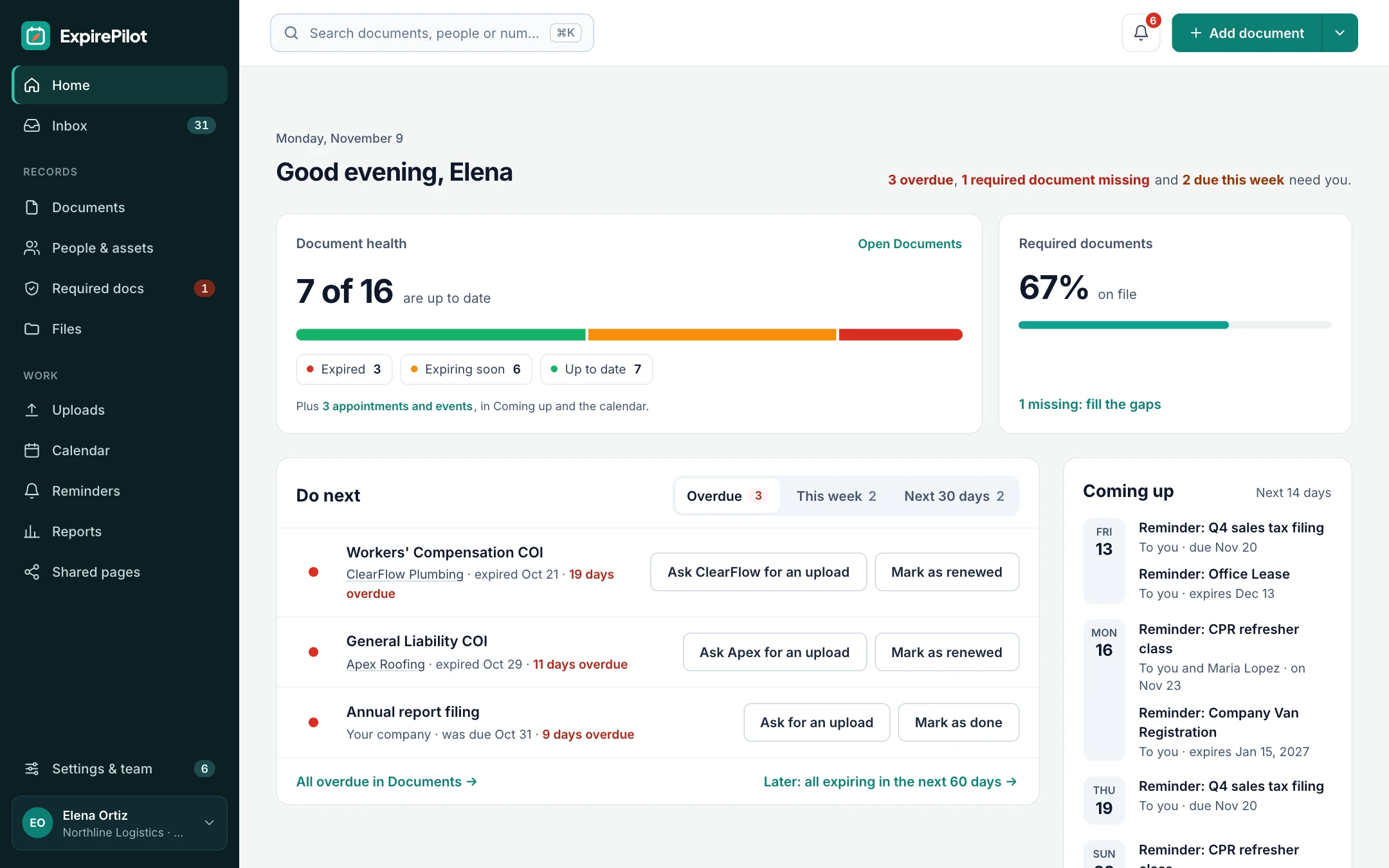
When an auditor, inspector or client asks for proof, don’t spend a day rebuilding it. ExpirePilot reports on what’s expiring, what’s expired and what’s on file, by person, vendor or document type, as Excel, CSV or PDF. And an audit packet bundles every document file with a summary in one click.
Free plan available. 14-day free trial, no credit card required.
Excel, CSV and PDFAudit packet with every fileReminder history included
iDefinition
What is an audit packet?
An audit packet is a single download that proves compliance for a person, a vendor or your whole company. In ExpirePilot it contains a summary PDF of every tracked document with its status and dates, plus a copy of every document file, organized in a folder per person or vendor. Together with compliance reports and the reminder log, it answers the questions auditors usually ask: what is on file, is it current, and were people reminded in time.
!The problem
Proving compliance shouldn’t take longer than staying compliant.
The dates may be in a spreadsheet, but the documents are in inboxes, shared drives and filing cabinets.
Every audit, insurance renewal or client review means hunting down files, checking which ones are current and assembling a folder by hand. If one is missing or out of date, you find out in front of the auditor.
ExpirePilot keeps every document with its dates and history, so the proof is ready before anyone asks.
You need better reports if:
- You rebuild a compliance folder for every audit
- Clients ask for proof of insurance or certifications
- Documents are spread across email, drives and paper
- You can’t easily show what was in force on a past date
- You have to prove people were reminded in time
→How it works
From question to proof in a few clicks
Step 1
Pick a report
Expiring, expired, by person, by vendor, by type, all items or reminder activity.
Step 2
Filter it
Narrow it to a date range, a person, a vendor, a site or a document type.
Step 3
Download
Export as Excel, CSV or PDF, or download the audit packet with every file.
01Compliance reports
The report you need, already built
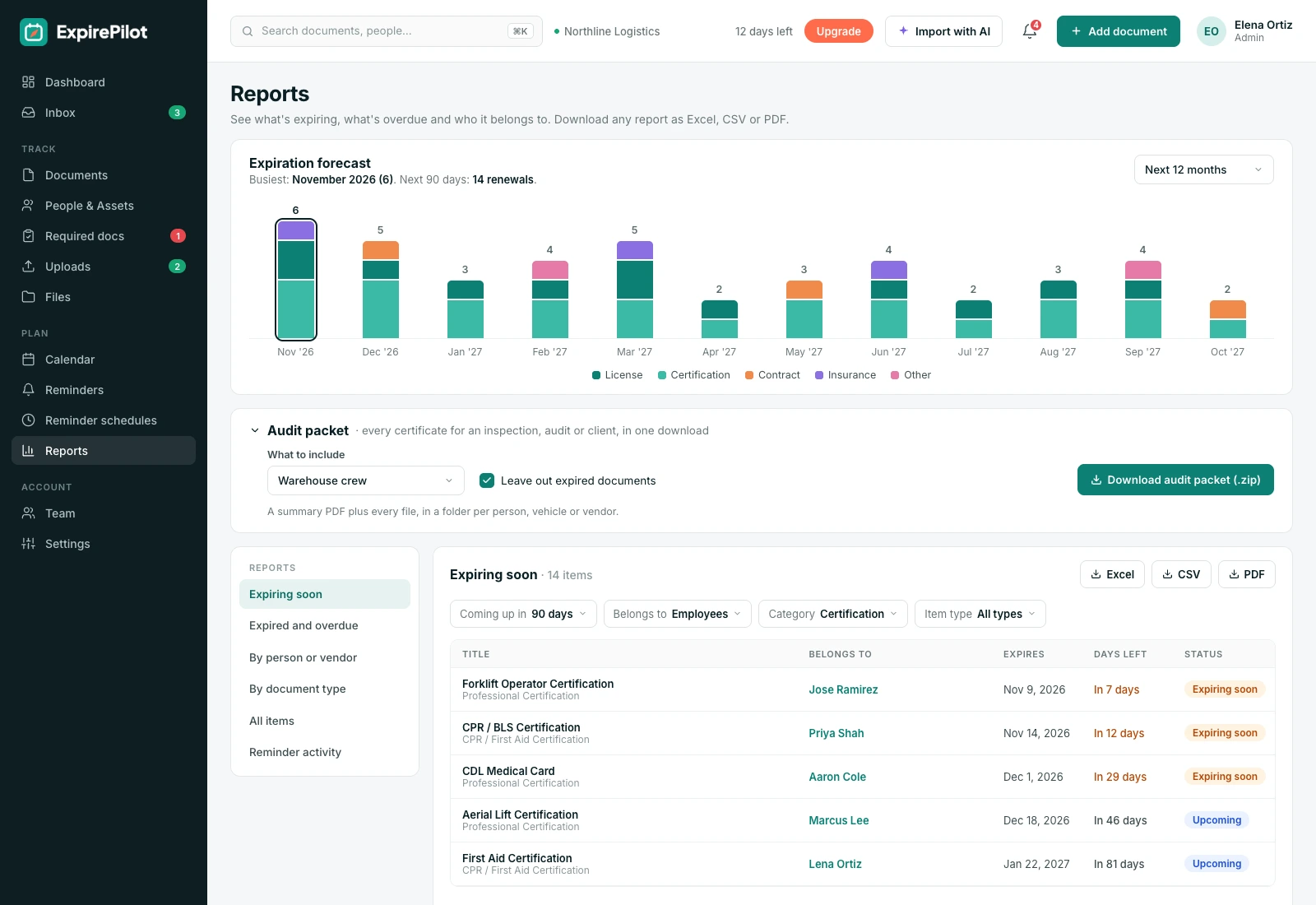
Ready-made reports cover the questions people actually ask.
| Report | Answers |
|---|---|
| Expiring | What needs renewing soon? |
| Expired | What has already lapsed? |
| By person or vendor | What does this person or vendor have on file? |
| By type | Where is every COI, license or permit? |
| All items | Everything we track, with status |
| Reminder activity | Who was reminded, when, and did they open it? |
02Audit packet
Every file and a summary, in one click
Auditors want to see the documents, not just a list of dates.
The audit packet gathers every file you’ve attached and pairs it with a clear summary, so you can hand over a complete, organized record in minutes instead of days.
Inside an audit packet
- A summary PDF with every document, its status and dates
- A copy of every document file
- A folder for each person or vendor
- For one person, one vendor or everyone
- Ready to email to an auditor or client
03History
Show what was in force on any date
Audits often look backwards: was this subcontractor insured on the day of the incident?
When a document is renewed, the old one stays in the item’s history with its dates. Together with the reminder log, that gives you a complete record of what was on file, and who was told, at any point in time.
Kept for every item
- Every previous version of the document
- The dates each version was valid
- Every reminder and escalation sent about it
- Export everything at any time, with no lock-in
vsComparison
Building audit folders by hand vs ExpirePilot reports
Same question from the auditor. Very different afternoon.
| Capability | By hand | ExpirePilot |
|---|---|---|
| List of what’s on file | Rebuilt from a spreadsheet | Report, ready any time |
| Expired and expiring items | Sorted by hand | Separate reports |
| Copies of every document | Collected from inboxes and drives | Included in the audit packet |
| Organized per person or vendor | Folders made by hand | Automatic |
| Proof of reminders | Search sent mail | Reminder activity report |
| Formats | Whatever you build | Excel, CSV, PDF |
◎Use cases
When teams pull reports
Whenever someone asks for proof.
Audits and inspections
Hand over a complete file
Give an OSHA, DOT, health or accreditation inspector the records they ask for, on the spot.
Client requirements
Prove your team is qualified
Send a client the current certifications or insurance for everyone working on their job.
Insurance renewals
Show your vendors were covered
Show your own insurer that every subcontractor carried the required coverage.
Management
Weekly compliance check
Review what’s expiring and expired each week, alongside the weekly summary email.
+More features
Everything else ExpirePilot does for you
All in one simple tool, with a free plan to try it.
✦ Feature
AI document scanning
Snap a photo or upload a PDF. AI fills in the dates and details for you to check.
◷ Feature
Automated expiration reminders
90, 60, 30 and 7-day reminders, or your own schedule, that stop once it’s renewed.
↑ Feature
No-login upload links
People send renewed documents from their phone. No account, no password.
↗ Feature
Reminder escalation
Managers, then Owners and Admins, hear about anything nobody renews.
@ Feature
Reminder email tracking
See whether each reminder was delivered, opened and clicked.
✓ Feature
Required documents by role
Set what each role needs and see who’s missing what.
$Pricing
Free plan and pricing
You can start for free. ExpirePilot’s free plan covers up to 20 tracked items with unlimited email reminders, unlimited people and 10 AI scans a month. No credit card, no time limit.
Paid plans start at $15 a month. Every new account also gets a 14-day free trial with Business-level features, so you can load everything you track before deciding.
Free plan includes
- Up to 20 tracked items
- 1 editing user, plus unlimited view-only users
- Unlimited email reminders
- 10 AI scans a month
- Free forever. Nothing is deleted if you stay on it.
Basic
For one person keeping a business compliant.
or $165 a year (1 month free)
- 250 tracked items
- 1 user who can edit
- 50 AI scans / month
- 2 GB file storage
or try it free for 14 days
Professional
For small teams sharing renewals and compliance.
or $429 a year (1 month free)
- 800 tracked items
- 3 users who can edit
- 200 AI scans / month
- 10 GB file storage
or try it free for 14 days
Most popular
Business
For growing teams tracking many people and vendors.
or $869 a year (1 month free)
- 2,000 tracked items
- 6 users who can edit
- 500 AI scans / month
- 25 GB file storage
or try it free for 14 days
Enterprise
For larger companies and multiple departments.
or $1,749 a year (1 month free)
- 5,000 tracked items
- 15 users who can edit
- 1,500 AI scans / month
- 50 GB file storage
or try it free for 14 days
Pay yearly and get one month free. Each document, license, certificate or contract counts as one tracked item, and people are unlimited. View-only users are free and unlimited on every plan, so managers can check on things at no extra cost. Our prices are public: no sales call or quote needed.
14 days free · No credit card required · Drops to the free plan, not a bill
Start free, and pay only when your list outgrows it.
Expiring, expired, by person or vendor, by document type, all items and reminder activity. Each can be filtered and exported.
Excel, CSV and PDF. You can also download everything you track at any time.
A summary PDF of every document with its status and dates, plus a copy of every document file, in a folder per person or vendor.
Yes. Download a packet for one person, one vendor or everyone.
Yes. When a document is renewed, the old one stays in the item’s history with its dates.
Yes. The reminder activity report lists every reminder and escalation, who it went to, when, and whether it was opened.
Not yet. Today you run reports when you need them, and a weekly summary email lists what’s coming up.
Be ready before the auditor asks
Keep every document with its dates and history, and download the proof in one click whenever someone asks.
No credit card required. Free plan available.