Permit tracking software
Permit Tracking Software
Keep every operating, health, fire, building and vehicle permit current, at every location. ExpirePilot reminds the right people before each permit expires, escalates when nobody acts, and keeps the renewed permit on file for your next inspection.
Free plan available. 14-day free trial, no credit card required.
Reminders at 90/60/30/7 daysPermits filed by locationAI reads the permit
iDefinition
What is permit tracking software?
Permit tracking software, also called permit management software, keeps a record of the permits a business holds, with each permit’s number, issuing agency, location and expiration date. It reminds the people responsible before a permit lapses or an inspection deadline passes, and keeps a copy of every renewed permit. ExpirePilot does this for businesses with several locations, vehicles or crews that have outgrown a spreadsheet. It doesn’t prepare or submit permit applications, and it isn’t permit-to-work software for hazardous jobs.
!The problem
A lapsed permit can close a site, not just cost a fee.
Every permit has its own agency, renewal cycle and deadline. Some renew every year, some every few years, and a building permit can lapse if an inspection doesn’t happen in time.
The renewal notice goes to an old address or a manager who left, and you find out at the inspection. Each new location adds another set of permits on different dates. A spreadsheet holds the dates, but it doesn’t tell anyone.
A spreadsheet can’t remind a site manager, chase a subcontractor or tell you who ignored it. ExpirePilot does all three automatically.
You’ve outgrown your permit spreadsheet if:
- You run more than one location, or a fleet of vehicles
- Your permits come from several agencies on different cycles
- Different people are responsible for different sites
- You’ve found an expired permit during an inspection
- A landlord, client or inspector has asked you to show a current permit
vsComparison
Permit tracking spreadsheet vs permit tracking software
A spreadsheet stores expiration dates. Permit tracking software acts on them.
| Capability | Spreadsheet | ExpirePilot |
|---|---|---|
| Reminds people before a permit expires | No | 90, 60, 30 and 7 days, or your own schedule |
| Groups permits by location, vehicle or equipment | A tab per site, kept by hand | A page for each, with its permits |
| Tracks inspection and filing deadlines | Another column to check | Due dates with their own reminders |
| Tells someone when a reminder is ignored | No | Automatic escalation |
| Collects subcontractors’ renewed licenses and permits | You chase by email | No-login upload link, you approve |
| Reads dates off the permit | Typed by hand | AI scan, you confirm |
| Keeps the permit file and past terms | Separate folders | Stored with the record, with history |
| Cost | Free, plus admin time | Free plan, paid from $15/month |
01Permit expiration reminders
Track every operating, health, fire and building permit in one place
Add each permit with its number, agency, location and expiration date, and ExpirePilot watches the dates. The people responsible get an email 90, 60, 30 and 7 days before a permit expires. Keep the standard schedule, or build your own in days, weeks or months and pick it for any permit type. For permits that take months to renew, such as many environmental permits, start at 180 or 120 days instead.
Send reminders to yourself, the site manager, your office team or an outside contractor. Reminder emails can go out in English or Spanish, and you can see whether each one was delivered and opened.
Business and operating licensesHealth and food service permitsFire alarm and sprinkler permitsElevator and boiler certificatesBuilding permitsSign permitsHazardous materials permitsAir permitsWastewater and discharge permitsStormwater permitsWaste permitsLiquor licensesPool and spa permitsTemporary certificates of occupancyZoning and conditional use permitsOversize and overweight vehicle permitsCustom permit types
Reminder sequence · 90 / 60 / 30 / 7 days before
↗Escalation
If nobody renews it, someone above them hears about it
If a permit still isn’t renewed, ExpirePilot tells the person’s manager before the deadline, then your Owners and Admins the day after it expires, and keeps following up until it’s handled. Everything stops once the new permit is on file.
| When | Who is notified | How |
|---|---|---|
| 90, 60, 30 and 7 days before | The people you choose for that permit | |
| Before the deadline (you choose when) | The responsible person’s manager | |
| The day after it expires | Your company’s Owners and Admins | |
| After expiry, every few days (you choose) | The usual reminder recipients, until it’s renewed |
Reminders go by email on every plan, including Free.
Stop checking the permit list. ExpirePilot checks it for you.
02By location
Every location, vehicle and piece of equipment gets its own permit page
Add each store, building, job site, truck or boiler, and file its permits under it. Open a location and you see every permit it needs to operate, with what’s current, expiring soon and expired.
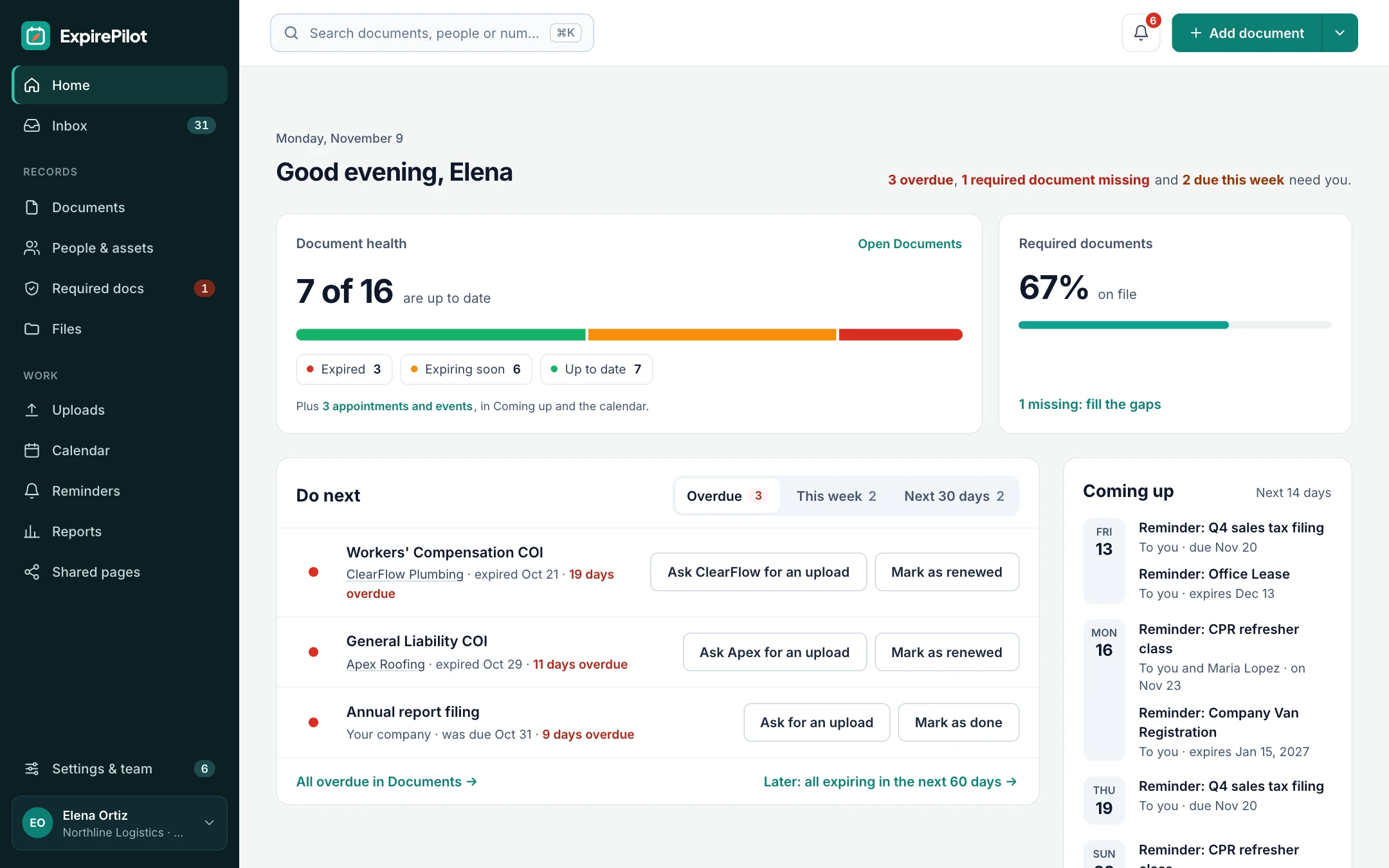
The dashboard shows how many permits are current, expiring soon and expired across every location, with the ones that need action first. One permit can cover several records too, such as one annual oversize permit for twelve trucks, so you track it once. Folders, saved views and quick search make the right permit easy to find.
Locations, vehicles and equipment are unlimited on every plan.
Open a location and know straight away whether it’s legal to operate.
03Inspection tracking
Track inspections and filing dates, not just the expiry
Not every permit deadline is an expiration date. A building permit can lapse if work stops or an inspection doesn’t happen in time, and some permits need an annual report or a renewal application filed weeks before they expire.
Add each of those dates as its own due-date item, linked to the location, with its own reminder schedule. After the inspection, attach the inspector’s report or certificate, note the result, and set the date of the re-inspection or the next one. Every past inspection stays in the item’s history.
- Next required inspection on an open building permit
- Annual fire alarm or sprinkler inspection
- Renewal application deadlines
- Annual reports and fee due dates
✎Permit conditions
Track the conditions that come with a permit, too
Many permits come with requirements you have to keep meeting: a monitoring report every quarter, an annual backflow test, a sampling deadline or a notice to the agency before work starts. Add each condition with a date as its own due-date item under the permit’s location, with its own reminders and the person responsible.
Conditions without a date, such as operating hours or noise limits, go in the permit’s notes and the permit file, so they’re on hand at an inspection.
ExpirePilot reminds people about dates. It doesn’t read your permit’s conditions for you or check that you’re meeting them.
04No-login uploads
Subcontractors and vendors upload their renewed licenses and permits themselves
When a subcontractor’s license or a vendor’s permit is about to expire, their reminder includes a secure upload link. They attach the renewed document as a PDF or a phone photo, and it lands in your review queue. No app, password or account needed.
The upload page and reminder emails can be in English or Spanish. Reminder emails also have one-click buttons, so a recipient can mark it done or upload a file straight from their inbox. Nothing changes until you approve it.
- They get the linkEach reminder includes a personal upload link.
- They upload the documentA PDF or a photo from their phone.
- You approve itCheck it, approve it, and the new date takes over.
Renewed paperwork comes to you, not the other way around.
05AI scanning
AI reads the permit for you
Upload a permit and ExpirePilot reads it. It pulls out the permit title, number, holder and dates, then fills in the record. You check it and click confirm.
It works on PDFs, scans and phone photos of the framed permit on the wall. Scan up to 25 permits at once, or import the permit spreadsheet you already have from Excel or CSV.
What it extracts
Permit titlePermit numberPermit holderIssue dateExpiration date
Load every location’s permits in an afternoon, not a week.
06Permit log & audit trail
Show an inspector, landlord or auditor a current permit in minutes
ExpirePilot is your permit register: every permit, its expiration date, its file and its reminder history in one place, so you can pull up exactly what’s asked for.
The reminder log is your audit trail. It records every reminder sent, to whom, when, and whether it was delivered and opened, so you can show you followed up.
When a permit renews, the old dates, number and file stay in its history, so you can show what was in force on a given date. A private calendar link puts every expiry in Google Calendar, Outlook or Apple Calendar, and a weekly summary email keeps site managers informed without opening the app.
- Every permit, with location, type and expiration date
- Expiring and expired permits, flagged clearly
- Reminder activity: who was reminded, when and whether they opened it
- Export as PDF, Excel or CSV
⏱Reference
Common business permits and how often they renew
A quick reference for setting up reminders. Renewal cycles vary by state, county and city, so always go by the dates on the permit and your local rules.
| Permit | Typical cycle | Who usually needs it | Suggested first reminder |
|---|---|---|---|
| Business or operating license | Often every year, sometimes every 2 years | Almost every business, per location | 60–90 days before |
| Health or food service permit | Often every year | Restaurants, cafés, grocery, food trucks | 60–90 days before |
| Fire alarm or sprinkler operating permit | Often every year, with an inspection | Warehouses, offices, retail, multifamily | 90 days before |
| Elevator or boiler certificate | Often every 1–2 years, after an inspection | Building owners and property managers | 90 days before |
| Building permit | Can lapse if work stops or an inspection is missed | Contractors and owners during a project | Before each required inspection |
| Hazardous materials permit | Often every year | Manufacturing, labs, auto shops | 90 days before |
| Oversize or overweight vehicle permit | Single trip or annual | Trucking, construction and equipment movers | 30–60 days before (annual) |
| Sign permit | One-time or periodic, depending on the city | Retail and multi-location brands | 60 days before, if it expires |
| Liquor license | Often every 1–2 years | Restaurants, bars, retail, venues | 90–120 days before |
| Pool or spa permit | Often every year | Hotels, apartments, gyms, HOAs | 60–90 days before |
| Temporary certificate of occupancy | A set number of days or months | Owners and contractors finishing a building | As soon as it’s issued |
| Air, wastewater or stormwater permit | Often a 5-year term, with the renewal application due months before | Manufacturing, utilities, construction sites | 180 days or more before |
| Zoning or conditional use permit | Often no expiry, but conditions and review dates apply | Businesses using a site under special conditions | Before each review or condition date |
ExpirePilot isn’t limited to these. It tracks any permit, license or certificate with a date, in the US or elsewhere.
!If a permit lapses
What happens if a business permit expires?
It depends on the permit and the agency, but these are the usual consequences. Check your local rules for the details.
| Consequence | When it usually happens |
|---|---|
| Late fees or a reinstatement fee | Most licenses and operating permits renewed after the deadline |
| Fines | Operating without a current permit, often found at an inspection |
| A failed inspection | The inspector, health department or fire marshal finds an expired permit or certificate |
| Stop-work order | A building permit lapses or required inspections are missed |
| Closure until it’s fixed | Food service, health and some fire permits |
| Starting over | Some permits can’t be renewed once expired and need a new application |
| Problems with a landlord, lender, client or insurer | Leases and contracts often require current permits |
?Which option do you need?
Permit renewal tracking vs permitting platforms, government systems and permit-to-work software
“Permit tracking software” can mean four different things. Pick the one that matches the job you need done.
| Permit renewal tracking (ExpirePilot) | Construction permitting platforms | Government permit systems | EHS permit-to-work software | |
|---|---|---|---|---|
| The job it does | Keeps the permits you already hold from lapsing | Prepares and submits permit applications | Lets an agency issue permits and run inspections | Authorizes hazardous jobs on site, such as hot work or confined spaces |
| Who uses it | Businesses with several locations, vehicles or crews | Contractors and developers | City, county and state offices | Safety teams at plants and large sites |
| Reminders before expiry | Yes, with escalation | Varies | Sent by the agency, if at all | Not the focus |
| Submits applications or books inspections | No | Yes | Receives them | No |
| Pricing | Public: free plan, paid from $15/month | Usually per project or quoted | Government contracts | Usually quoted |
| Setup | Same day | Varies | A government rollout | Usually an implementation project |
Many businesses use a permitting service to get a new permit, then ExpirePilot to keep it current.
◎Industries
Permit tracking for multi-site businesses, contractors and fleets
Built for teams that keep dozens to a few hundred permits current, without an enterprise rollout.
Restaurants and retail
Every store’s permits on one page
A restaurant group or retail chain tracks health, fire, sign and business permits for each store. Store managers get the reminders and free view-only access, and head office hears if one is ignored.
Construction and trades
Permits, inspections and subcontractor licenses
A contractor tracks open building permits and their inspection dates, plus every subcontractor’s license. Subs upload renewals from a link, and reminders can go out in Spanish.
Property and facilities
Building certificates across a portfolio
A property or facilities manager tracks elevator, boiler, fire alarm and sprinkler certificates for each building, with the inspection dates as due dates.
Fleets and field services
Vehicle and equipment permits
A trucking or field service company tracks oversize, overweight and other vehicle permits per truck. One permit can cover the whole fleet, so it’s tracked once.
Insurance certificates, staff certifications and contracts can live in the same account. See COI tracking →
→Getting started
Up and running the same day
No sales call, no implementation project.
Step 1 · About 10 minutes
Add your locations
Create each site, vehicle or piece of equipment, or import them from a spreadsheet.
Step 2 · About 15 minutes
Bring in your permits
Import your permit spreadsheet, or scan up to 25 permits at once and let AI fill in the details for you to check.
Step 3 · Automatic
Reminders run themselves
Reminders and escalations go out on schedule. You enter or approve each renewed permit as it comes in.
⇄Integrations
Works next to the tools you have
ExpirePilot doesn’t connect to government permit portals or construction software. Most teams don’t need it to get started:
- Import your locations and permit log from any system (Excel or CSV)
- Scan permit PDFs and photos with AI
- A private calendar link for Google Calendar, Outlook and Apple Calendar
- Export any report as Excel, CSV or PDF, or download everything at once
A public API and Zapier connection are on our roadmap.
✓Security
Your permit records stay private
- Each company’s records and files are kept separate
- Files are stored encrypted on Amazon Web Services and open only through short-lived secure links
- Automatic backups cover the last 35 days
- Owner, Admin, Member and Viewer roles control who sees and changes what
- Two-step verification for your account
- Export everything any time. No lock-in.
We aren’t SOC 2 audited yet. If your organization needs a SOC 2 report, contact us before you sign up.
@How reminders reach people
Email, calendar and a weekly summary
- Reminder emails, in English or Spanish, with delivery and open tracking
- Expiry dates in Google Calendar, Outlook or Apple Calendar through a private calendar link
- A weekly summary email of what’s coming up
- Escalation emails to managers, Owners and Admins
Text message reminders aren’t available yet. Today every reminder goes by email.
▢On the phone
Works in the browser on any phone
- Check a location’s permits from the site, in your phone’s browser
- Photograph a permit on the wall and let AI fill in the details
- Subcontractors upload renewals from their phone, without an account
- Recipients can mark an item done or upload a file from the reminder email
There’s no app to install from the App Store or Google Play.
$Pricing
Free plan and pricing
You can track permits for free. ExpirePilot’s free plan covers up to 20 permits with unlimited email reminders, unlimited locations and AI scanning, which is enough for a single site or to try it out properly. No credit card, no time limit.
When you need more, paid plans start at $15 a month. Every new account also gets a 14-day free trial with Business-level features, so you can load every location and permit before deciding.
Free plan includes
- Up to 20 permits
- 1 editing user, plus unlimited view-only users
- Unlimited email reminders
- 10 AI permit scans a month
- Free forever. Nothing is deleted if you stay on it.
Basic
For one person keeping a business compliant.
or $165 a year (1 month free)
- 250 tracked items
- 1 user who can edit
- 50 AI scans / month
- 2 GB file storage
or try it free for 14 days
Professional
For small teams sharing renewals and compliance.
or $429 a year (1 month free)
- 800 tracked items
- 3 users who can edit
- 200 AI scans / month
- 10 GB file storage
or try it free for 14 days
Most popular
Business
For growing teams tracking many people and vendors.
or $869 a year (1 month free)
- 2,000 tracked items
- 6 users who can edit
- 500 AI scans / month
- 25 GB file storage
or try it free for 14 days
Enterprise
For larger companies and multiple departments.
or $1,749 a year (1 month free)
- 5,000 tracked items
- 15 users who can edit
- 1,500 AI scans / month
- 50 GB file storage
or try it free for 14 days
Pay yearly and get one month free. View-only users are free and unlimited on every plan, so store and site managers can check their permits at no extra cost. Our prices are public: no sales call or quote needed.
14 days free · No credit card required · Drops to the free plan, not a bill
Start free, and pay only when your permit list outgrows it.
Permit tracking software keeps a record of the permits a business holds, with each permit’s number, issuing agency, location and expiration date. It reminds the people responsible before a permit lapses or an inspection deadline passes, and keeps a copy of every renewed permit. ExpirePilot is permit tracking software for businesses with several locations, vehicles or crews.
It depends on the job. If you need to prepare and submit applications, use a construction permitting platform. If you run a permitting office, you need a government permit system. If you need the permits you already hold to stay current, look for:
- Automatic reminders before each permit expires, on a schedule you can change
- Permits grouped by location, vehicle or equipment
- Inspection and filing deadlines tracked alongside expiry dates
- Escalation to a manager when a reminder is ignored
- AI that reads the permit so you don’t type dates by hand
- Public, predictable pricing, ideally with a free plan to try it
ExpirePilot does all six, with a free plan for up to 20 items and paid plans from $15 a month.
List every permit with its number, issuing agency, location and expiration date, keep a copy of each one, and set reminders at least 30 to 90 days before each date for the person responsible. In ExpirePilot, you can import your permit spreadsheet or scan permits with AI, file them by location, and reminders go out automatically at 90, 60, 30 and 7 days.
Construction permitting platforms usually charge per project or quote a price, and government permit systems are sold to agencies on contract. ExpirePilot’s prices are public: $0 on the free plan, then $15, $39, $79 or $159 a month for 250 to 5,000 tracked items, with one month free on yearly billing. Locations and view-only users are unlimited on every plan.
Yes. ExpirePilot has a free plan that covers up to 20 permits, unlimited email reminders and 10 AI scans a month, with no time limit and no credit card. New accounts also get a 14-day free trial with Business features. Paid plans start at $15 a month for 250 tracked items.
No. ExpirePilot tracks permits you already hold, reminds the right people before they expire and keeps the renewed copy on file. You can add an inspection or application deadline as a due date with its own reminders, but the application itself is done with the agency or a permitting service.
Yes. Add each location, vehicle or piece of equipment as its own record and file its permits under it. They’re unlimited on every plan, and one permit can be linked to several records, such as one fleet permit for twelve trucks.
Yes. Add an inspection, annual report or renewal application deadline as its own due-date item, linked to the location, with its own reminder schedule and escalation.
Yes. Their reminder includes a secure upload link. They attach the new document as a PDF or photo from a phone or computer, without an account, in English or Spanish. It goes to your review queue, and the record only changes once you approve it.
Yes. Upload an Excel or CSV file, match your columns to ExpirePilot’s fields and import. You can export everything back to a spreadsheet at any time.
Yes. Each person can subscribe to a private calendar link that shows permit expiry dates in Google Calendar, Outlook or Apple Calendar.
The terms are often used for the same thing. Some vendors use “permit management” for software that also handles applications, approvals and inspections, which is what government offices and construction permitting platforms do. ExpirePilot focuses on tracking: keeping the permits you already hold current, with reminders, escalation and a record of every renewal.
No. Permit-to-work software authorizes hazardous jobs on a site, such as hot work, confined space entry or electrical isolation, and is used by safety teams at plants and large sites. ExpirePilot tracks the government-issued permits, licenses and certificates your business needs to operate, and their expiration dates.
A permanent certificate of occupancy usually doesn’t expire, so you can store it on the building’s page as a record. A temporary certificate of occupancy does expire, often within weeks or months, so add it with its expiration date and reminders start straight away.
Yes. Add air, wastewater, stormwater and waste permits with their expiration dates, and their conditions with dates, such as monitoring reports or annual reports, as due-date items. Many environmental permits need a renewal application months before they expire, so build a reminder schedule that starts at 180 days or earlier.
Not yet. Reminders go by email on every plan, in English or Spanish, and you can also see permit dates in Google Calendar, Outlook or Apple Calendar through a private calendar link.
There’s no app to install, but ExpirePilot works in the browser on any phone. You can check a location’s permits, photograph a permit for AI scanning, and approve uploads from your phone. Subcontractors upload renewed documents from their phone without an account.
Each company’s records and files are kept separate, files are stored encrypted on Amazon Web Services and open only through short-lived secure links, and automatic backups cover the last 35 days. Roles control who can see and change what, two-step verification protects your account, and you can export everything at any time. ExpirePilot isn’t SOC 2 audited yet.
Never find an expired permit at an inspection again
Let ExpirePilot remind the right people, escalate when nobody acts and keep every current permit ready to show.
No credit card required. Free plan available.