Warranty tracking software
Warranty Tracking Software
Know when every warranty on your equipment, vehicles, IT devices and buildings runs out, before you pay for a repair that should have been free. ExpirePilot keeps each warranty with the asset it covers, reminds the right person before it ends, and keeps the warranty paperwork one click away. A simple warranty tracker for small and mid-sized businesses, with a free plan.
Free plan available. 14-day free trial, no credit card required.
Reminders at 90/60/30/7 daysOne warranty can cover many assetsAI reads the warranty document
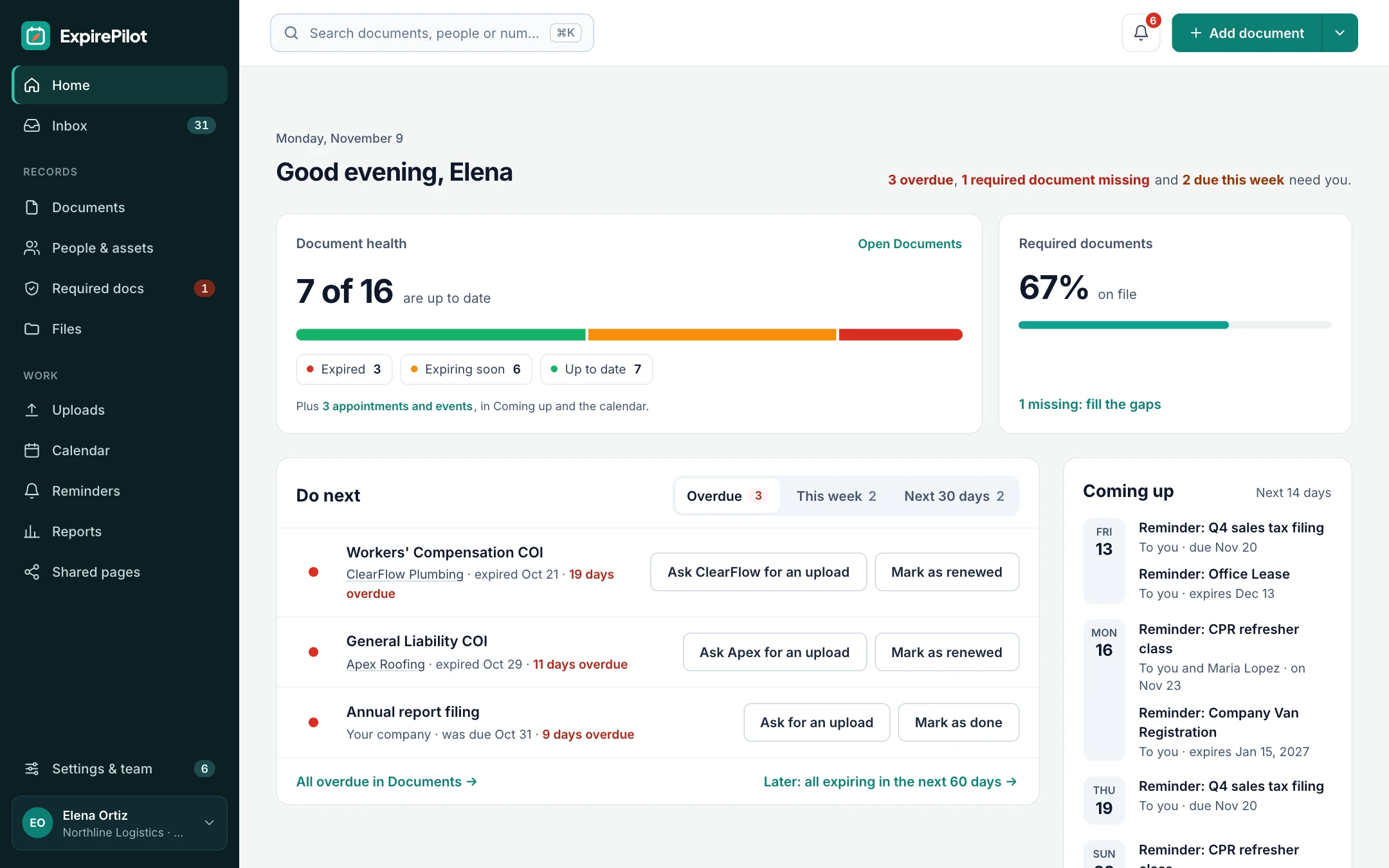
iDefinition
What is warranty tracking software?
Warranty tracking software keeps a record of the warranties on the things a business owns, such as equipment, vehicles, computers and building systems, with the start and end date, the serial number, the vendor and a copy of the warranty. It reminds the right people before coverage ends, so repairs get claimed while they’re still free and extended coverage gets decided on time. ExpirePilot is warranty tracking software for the warranties you hold. It doesn’t manage warranty claims or registrations for products you sell to customers.
⇆Two kinds of warranty software
Tracking warranties you own vs managing warranties you issue
Search for “warranty tracking software” and you’ll find two very different products. Check which job you have before you compare tools.
| Warranties you own (ExpirePilot) | Warranties you issue (warranty management software) | |
|---|---|---|
| Who uses it | Businesses tracking coverage on their own equipment, vehicles, IT devices and buildings | Manufacturers, brands and retailers handling their customers’ warranties |
| The job | Don’t miss a free repair, a claim deadline or a renewal decision | Register products, process claims, ship parts and pay out dealers |
| Main features | Expiry dates, reminders, the warranty document, the asset it covers | Product registration, claim workflow, returns (RMA), parts, analytics |
| Typical size | A few dozen to a few thousand warranties | Thousands of customer claims |
| ExpirePilot fits? | Yes | No |
If you sell products and need a claims portal for your customers, ExpirePilot isn’t the right tool. Everything below is about warranties on things you own.
!The problem
Most expired warranties are found by the repair invoice.
A compressor fails, a laptop screen dies, a forklift needs a new pump. Someone asks whether it’s still under warranty, and nobody knows.
The warranty card is in a drawer, the end date is in the vendor’s portal or the original invoice, and the person who bought it has left. By the time you find out the machine was covered until last month, you’ve paid for the repair. The same goes for extended warranties and service contracts: they lapse quietly, or renew automatically when you meant to cancel them.
A spreadsheet can store a warranty end date. It can’t tell anyone it’s coming up. ExpirePilot does.
You need a warranty tracker if:
- You’ve paid for a repair that turned out to be under warranty
- Warranty end dates live in invoices, vendor portals and email
- Extended warranties or service contracts renewed without anyone deciding
- You manage laptops, machines or vehicles across several sites or teams
- Nobody can say which assets will be out of warranty next quarter
vsComparison
Warranty tracking spreadsheet vs warranty tracking software
A spreadsheet is where most warranty lists start. Here’s what changes when the list starts working for you.
| Capability | Spreadsheet | ExpirePilot |
|---|---|---|
| Reminds someone before a warranty ends | No | 90, 60, 30 and 7 days, or your own schedule |
| Keeps the warranty document with the record | Separate folder | Attached to the warranty and the asset |
| One warranty covering many assets | Copied row by row | One record, linked to every asset it covers |
| Tells a manager when nobody acts | No | Automatic escalation |
| Reads dates off the warranty | Typed by hand | AI scan, you confirm |
| Shows which assets have no warranty on file | Cross-checked by hand | Required documents by asset type |
| Keeps old warranties when coverage is renewed | Overwritten | Kept in the history |
| Cost | Free, plus admin time | Free plan, paid from $15/month |
01Warranty expiration reminders
Every warranty, with the asset it covers and a reminder before it ends
Add your equipment, vehicles and locations once, with the serial number or VIN, make and model, address and the person responsible. Then add each warranty to the asset it covers, with its start date, end date, warranty or contract number and the warranty document. ExpirePilot emails the person responsible 90, 60, 30 and 7 days before coverage ends, or on your own schedule in days, weeks or months.
That leaves time to book a check-up while it’s still covered, file a claim for a known fault, or decide whether an extended warranty is worth buying. When you buy extended coverage, mark the warranty as renewed: the new end date takes over and the old one stays in the history. Reminder emails can go out in English or Spanish, and you can see whether each one was delivered and opened.
Manufacturer warrantiesExtended warrantiesLaptops, desktops and serversNetwork equipmentPrinters and copiersHVAC and boilersRoofs and building systemsGeneratorsAppliancesVehicles and trailersForklifts and heavy equipmentTools and machineryMedical and lab equipmentKitchen equipmentService contractsSoftware support plansCustom warranty types
Reminder sequence · 90 / 60 / 30 / 7 days before
↗Escalation
If nobody acts on it, their manager hears about it
Every asset can have someone responsible for it. If they don’t act, ExpirePilot tells their manager before the end date, then your Owners and Admins the day after the warranty lapses, and keeps following up until someone renews or archives it.
| When | Who is notified | How |
|---|---|---|
| 90, 60, 30 and 7 days before | The person responsible and anyone you add | |
| Before the end date (you choose when) | That person’s manager | |
| The day after it ends | Your company’s Owners and Admins | |
| After it ends, every few days (you choose) | The usual recipients, until it’s handled |
Reminders go by email on every plan, including Free. Recipients can snooze a reminder or hand it to a teammate from the email.
The cheapest repair is the one the manufacturer pays for.
02Fleets of devices and machines
One warranty for 40 laptops is one record, not 40 rows
Bought a batch of laptops, a set of radios or a fleet of trucks on one warranty or service contract? Record it once and link it to every asset it covers. Each asset shows the coverage, and the contract counts as a single tracked item on your plan.
Assets are unlimited on every plan. Group them with tags like “Austin office” or “Field crew”, file warranties into folders, save views such as “IT warranties ending this quarter”, and change many records at once with bulk edit. When a machine is retired, archive it: its warranties stop reminding anyone, and the history stays.
ExpirePilot tracks warranties by date. Mileage or engine-hour limits can go in the notes, but reminders aren’t triggered by them.
See your whole fleet’s coverage without opening a single vendor portal.
03Find the gaps
See which assets have no warranty on file
Tell ExpirePilot that every piece of equipment, or every vehicle, should have a warranty record. The “who’s missing what” view then shows each asset as covered, expiring soon, expired or missing.
Mark it as not needed for an older machine that’s out of warranty for good, and request the missing paperwork in one click: the person responsible gets a link to upload it.
- Required documents by asset type: equipment, vehicles or locations
- Missing and expired warranties flagged on the dashboard
- A month-by-month chart of upcoming expiries, to plan replacements and budgets
04No-login uploads
Get warranty paperwork from your team or vendor without chasing
Reminders can include a secure upload link. The site manager, technician or vendor sends the new warranty or service contract as a PDF or a phone photo, and it lands in your review queue. No app, password or account needed.
Reminder emails also have one-click buttons, so a recipient can mark it done or upload a file straight from their inbox. Nothing changes until you approve it.
- They get the linkIn the reminder, or you share it yourself.
- They upload the documentA PDF or a photo from their phone.
- You approve itThe new end date takes over.
05AI scanning & import
Load your warranties in an afternoon
Upload a warranty certificate, an extended warranty contract or an invoice that states the coverage, and ExpirePilot reads it. It pulls out the warranty type, who issued it, the number and the dates, then fills in the record. You check it and click confirm.
It works on PDFs, scans and phone photos, and you can scan up to 25 documents at once. Already have a list? Import your assets from Excel or CSV, with serial numbers, makes and models and who they’re assigned to, then import your warranty spreadsheet the same way.
What it extracts
Warranty typeWho issued itTitleWarranty or contract numberStart dateEnd dateCoverage notes
AI suggests, you confirm. Nothing is saved until you check it.
06Reports & calendar
Know what goes out of warranty next quarter
Reports list warranties ending soon, assets already out of warranty, warranties by type and every reminder sent. Download them as Excel, CSV or PDF for a budget meeting, an insurer or a client.
Subscribe to a private calendar link and every end date shows in Google Calendar, Outlook or Apple Calendar. A weekly summary email lists what’s coming up, and reminder summaries can post to a Slack or Microsoft Teams channel. Need every document for one site or one machine? Download an audit packet: a summary PDF plus every file, in a folder per asset.
- Warranties by asset, type, tag or folder
- Expiring and expired coverage, flagged clearly
- Export as PDF, Excel or CSV, or download everything at once
⏱Reference
Typical warranty lengths for business assets
A rough guide for setting up reminders. Terms vary a lot by manufacturer, model and what you paid for, so always go by the dates on your warranty.
| Asset | Typical standard warranty | Common extras | Suggested first reminder |
|---|---|---|---|
| Business laptops and desktops | 1–3 years | Extended support to 4–5 years | 90 days before |
| Servers and storage | Often 3 years | Support contracts extended year by year | 90 days before |
| Network switches and firewalls | From 1 year to limited lifetime, by vendor | Support and software subscriptions | 90 days before |
| Printers and copiers | Often 1 year | Service agreements | 60 days before |
| Commercial HVAC | Often 1 year on labor, 5–10 on parts | Longer parts cover, sometimes needs registration | 90 days before |
| Commercial roofs | Contractor workmanship plus a longer manufacturer warranty | Inspection requirements to keep it valid | 90 days before, and before inspections |
| New vehicles | Often 3 years or 36,000 miles bumper to bumper; longer on the powertrain | Extended service contracts | 60–90 days before |
| Forklifts and heavy equipment | Often 1–2 years or an hour limit | Extended powertrain coverage | 60–90 days before |
| Commercial kitchen equipment | Often 1 year parts and labor | Longer cover on compressors | 60 days before |
| Generators | Often 2–5 years, by brand and use | Extended coverage with maintenance plans | 90 days before |
Many warranties need regular maintenance or registration to stay valid. Track those due dates in ExpirePilot too.
?Which option do you need?
Warranty tracker vs asset management vs CMMS vs spreadsheet
Many tools store a warranty date. Here’s an honest look at which one fits.
| Warranty tracker (ExpirePilot) | IT asset management | CMMS / maintenance software | Spreadsheet | |
|---|---|---|---|---|
| The job it does | Keeps warranties, contracts and documents from lapsing unnoticed | Discovers and inventories computers and software | Schedules maintenance and work orders | Stores dates |
| Warranty reminders | Yes, with escalation to managers | Often, for IT devices only | Varies | No |
| Covers non-IT assets (vehicles, HVAC, machines) | Yes | Usually not | Yes | Yes, by hand |
| Device discovery and automatic warranty lookup | No | Often | No | No |
| Work orders and maintenance schedules | Due dates only, no work orders | No | Yes | No |
| Pricing | Public: free plan, paid from $15/month | Often per device | Often per user or per asset | Free |
| Setup | Same day | Agents or integrations to install | Weeks, with asset and task setup | Minutes |
Plenty of teams keep their inventory in an asset tool and use ExpirePilot for warranties, licenses, insurance and contracts that need a reminder.
◎Who uses it
Warranty tracking for IT, facilities, fleets and equipment
For businesses tracking a few dozen to a few thousand warranties, without an enterprise rollout.
IT teams and MSPs
Device warranties before refresh season
An IT team records laptops, servers and firewalls by serial number, links each batch to its warranty or support contract, and plans replacements from the expiring report. An MSP can keep each client’s devices in tags or folders.
Facilities and property
Building systems covered, not guessed
A property manager tracks HVAC, roof, boiler and elevator warranties per location, with the contractor’s paperwork attached and the site manager reminded before each one ends.
Fleets
Vehicle and trailer coverage in one place
A fleet manager keeps factory and extended warranties next to each vehicle’s registration and insurance, with the VIN and plate on file and the driver or shop lead reminded.
Construction and equipment
Machines repaired under warranty
A contractor tracks warranties on lifts, loaders and tools, with reminders to the yard manager and the dealer’s paperwork ready when a claim comes up. Emails can go out in Spanish.
Software support plans and subscriptions can live in the same account. See software renewal tracking →
→Getting started
Up and running the same day
No sales call, no implementation project.
Step 1 · About 10 minutes
Add your assets
Import equipment, vehicles and locations from a spreadsheet, with serial numbers and who they’re assigned to, or add them one by one.
Step 2 · About 15 minutes
Add the warranties
Import your warranty list or scan warranty documents with AI, and link each one to the assets it covers.
Step 3 · Automatic
Let the reminders run
Reminders, escalations and the weekly summary run on schedule. You act only when something needs a decision.
⇄What it connects to
Works next to the tools you have
ExpirePilot doesn’t connect to asset management, RMM or manufacturer portals, and it doesn’t look up warranties by serial number. It works alongside them:
- Import assets and warranties from any system (Excel or CSV)
- Scan warranty documents with AI
- A private calendar link for Google Calendar, Outlook and Apple Calendar
- Post reminder summaries to a Slack or Microsoft Teams channel
- Export any report as Excel, CSV or PDF, or download everything at once
✓Security
Your records stay private
- Each company’s records and files are kept separate
- Files are stored encrypted on Amazon Web Services and open only through short-lived secure links
- Automatic backups cover the last 35 days
- Owner, Admin, Member and Viewer roles control who sees and changes what
- Two-step verification for your account
- Export everything any time. No lock-in.
We aren’t SOC 2 audited yet. If your organization needs a SOC 2 report, contact us before you sign up.
@How reminders reach people
Email, calendar and a weekly summary
- Reminder emails, in English or Spanish, with delivery and open tracking
- End dates in Google Calendar, Outlook or Apple Calendar through a private calendar link
- A weekly summary email of what’s coming up
- Escalation emails to managers, Owners and Admins
Text message reminders aren’t available yet. Today every reminder goes by email.
▢On the phone
Works in the browser on any phone
- Check whether a machine is still under warranty from the floor or the site
- Photograph a warranty card or label and let AI fill in the details
- Technicians and vendors upload documents from their phone, without an account
- Mark a reminder done or upload a file from the reminder email
There’s no app to install from the App Store or Google Play.
$Pricing
Free plan and pricing
You can track warranties for free. ExpirePilot’s free plan covers up to 20 warranties or other items, with unlimited assets, unlimited email reminders and AI scanning, which is enough for a small office or to try it out properly. No credit card, no time limit.
When you need more, paid plans start at $15 a month. Every new account also gets a 14-day free trial with Business-level features, so you can load all your warranties before deciding.
Free plan includes
- Up to 20 warranties or other items
- Unlimited equipment, vehicles and locations
- 1 editing user, plus unlimited view-only users
- Unlimited email reminders
- 10 AI document scans a month
- Free forever. Nothing is deleted if you stay on it.
Basic
For one person keeping a business compliant.
or $165 a year (1 month free)
- 250 tracked items
- 1 user who can edit
- 50 AI scans / month
- 2 GB file storage
or try it free for 14 days
Professional
For small teams sharing renewals and compliance.
or $429 a year (1 month free)
- 800 tracked items
- 3 users who can edit
- 200 AI scans / month
- 10 GB file storage
or try it free for 14 days
Most popular
Business
For growing teams tracking many people and vendors.
or $869 a year (1 month free)
- 2,000 tracked items
- 6 users who can edit
- 500 AI scans / month
- 25 GB file storage
or try it free for 14 days
Enterprise
For larger companies and multiple departments.
or $1,749 a year (1 month free)
- 5,000 tracked items
- 15 users who can edit
- 1,500 AI scans / month
- 50 GB file storage
or try it free for 14 days
Pay yearly and get one month free. Each warranty counts as one tracked item, even when it covers many assets, and assets are unlimited. View-only users are free and unlimited on every plan, so site managers can check coverage at no extra cost. Our prices are public: no sales call or quote needed.
14 days free · No credit card required · Drops to the free plan, not a bill
One avoided repair bill usually pays for a year.
Warranty tracking software keeps a record of the warranties on the things a business owns, with start and end dates, serial numbers, vendors and a copy of each warranty. It reminds the right people before coverage ends and shows which assets are out of warranty. ExpirePilot is warranty tracking software for small and mid-sized businesses.
It depends on which warranties you mean. Manufacturers handling customer claims need warranty management software with registration and a claims workflow. For warranties on your own equipment, vehicles and IT devices, look for:
- Reminders before each warranty ends, on a schedule you can change
- Warranties linked to the assets they cover, with serial numbers
- One record for a warranty that covers many assets
- Escalation when nobody acts
- A copy of the warranty document attached
- Public pricing, ideally with a free plan to try it
ExpirePilot does all six, with a free plan for up to 20 items and paid plans from $15 a month.
For a business, the best warranty tracker is one your whole team can reach and that reminds people automatically. ExpirePilot works in the browser on any phone or computer, so there’s nothing to install, and anyone can upload a warranty document through a secure link without an account. It’s built for business assets rather than personal purchases.
Yes. ExpirePilot has a free plan that covers up to 20 warranties or other items, unlimited assets, unlimited email reminders and 10 AI scans a month, with no time limit and no credit card. New accounts also get a 14-day free trial with Business features. Paid plans start at $15 a month for 250 tracked items.
Keep one list of your equipment with serial numbers, and for each warranty record the start date, end date, who issued it and a copy of the document. Set reminders 60 to 90 days before each end date for the person responsible. In ExpirePilot you import your equipment and warranties from a spreadsheet or scan the documents with AI, and reminders go out automatically.
Yes. Add laptops, servers and network gear as equipment with their serial numbers, and link each warranty or support contract to the devices it covers. ExpirePilot doesn’t discover devices or look up warranties from manufacturers automatically, so you import your device list from a spreadsheet.
Yes. Record the warranty or service contract once and link it to every asset it covers, such as 40 laptops or 12 trucks. It counts as one tracked item on your plan.
No. ExpirePilot reminds you before coverage ends and keeps the warranty document ready, so you can file a claim with the manufacturer or dealer in time. It doesn’t manage claims, returns, product registrations or customer warranties for products you sell.
Yes. Add them as their own warranty types next to the manufacturer warranty. When you renew one, mark it as renewed: the new end date takes over and the previous one stays in the history.
ExpirePilot tracks warranties by date. You can note a mileage or hour limit on the record, but reminders are based on the end date.
Yes. Upload an Excel or CSV file, match your columns to ExpirePilot’s fields and import. You can import your assets the same way, with serial numbers, makes and models and who they’re assigned to, and export everything back to a spreadsheet at any time.
Not yet. Reminders go by email on every plan, in English or Spanish, and end dates can show in Google Calendar, Outlook or Apple Calendar through a private calendar link.
There’s no app to install, but ExpirePilot works in the browser on any phone. You can check coverage, photograph a warranty document for AI scanning and approve uploads from your phone.
Each company’s records and files are kept separate, files are stored encrypted on Amazon Web Services and open only through short-lived secure links, and automatic backups cover the last 35 days. Roles control who can see and change what, two-step verification protects your account, and you can export everything at any time. ExpirePilot isn’t SOC 2 audited yet.
Never pay for a repair that was still under warranty
Let ExpirePilot remind the right person before coverage ends and keep every warranty document ready when you need it.
No credit card required. Free plan available.